60Hz vs 90Hz vs 120Hz vs 144Hz vs 165Hz Monitor
If you’ve ever walked into a store or browsed through a monitor listing on Amazon or Flipkart, you’ve probably noticed numbers like 60Hz, 144Hz, or 165Hz plastered across the product page. Sellers and reviewers make it sound like the difference between life and death. But what does it actually mean for you as a gamer? Is 165Hz really worth paying extra for, or is 60Hz good enough?
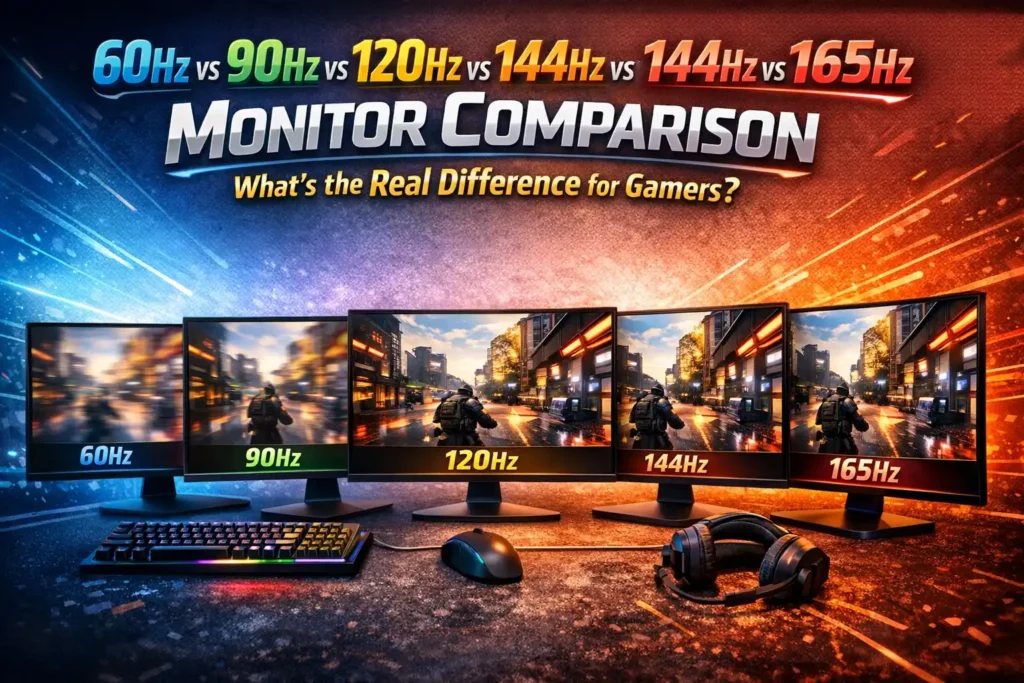
This guide breaks down everything clearly — no jargon overload, no fluff. Just the information you actually need to make the right buying decision.
What Is Refresh Rate, and Why Does It Matter?
Before comparing numbers, let’s understand what refresh rate actually is.
Refresh rate is the number of times per second your monitor updates the image it’s displaying. It’s measured in Hertz (Hz). So a 60Hz monitor refreshes the screen 60 times every second, while a 144Hz monitor does it 144 times per second.
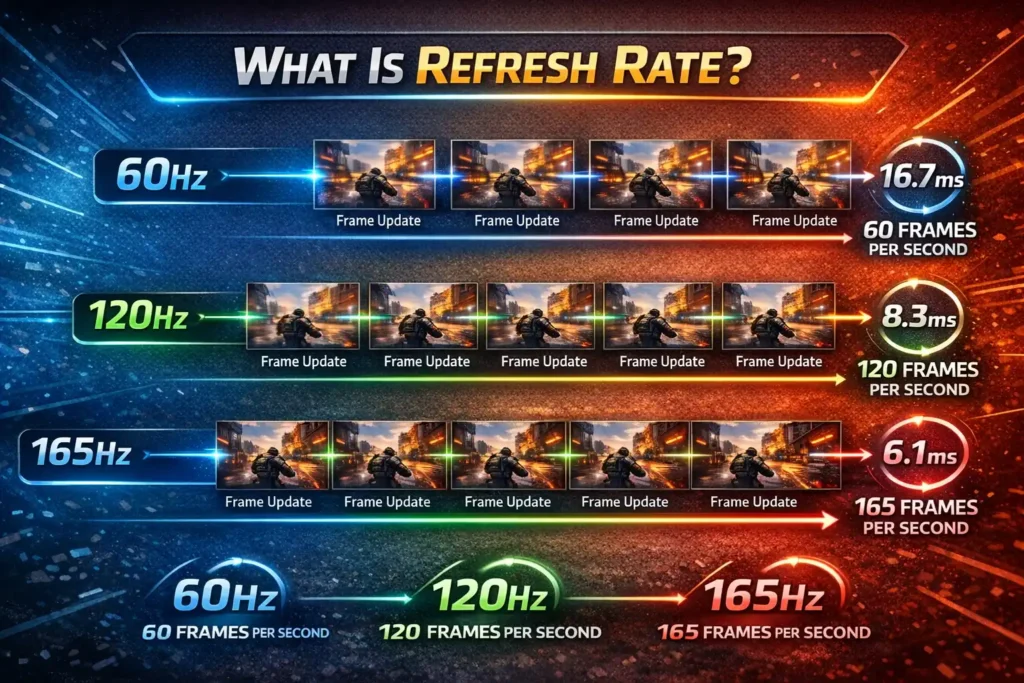
Now here’s the important part: a higher refresh rate means the screen is showing more frames per second from a visual standpoint. This translates directly into smoother motion, sharper fast-moving images, and in competitive gaming — a genuine edge in reaction time.
But there’s a catch. Your monitor’s refresh rate and your PC’s frame rate (FPS) are two different things. Your GPU generates frames; your monitor displays them. If your GPU is only pushing 45 FPS, having a 165Hz monitor won’t magically make things smoother. Ideally, your FPS should be close to or exceed your monitor’s refresh rate to fully benefit from it.
With that foundation in place, let’s get into the actual comparison.
60Hz — The Baseline Standard
Where 60Hz starts to show its limitations is in fast-paced gaming. Games like Valorant, CS2, or Call of Duty rely heavily on quick reactions. At 60Hz, fast movement appears slightly blurry or choppy, and the time between frames (about 16.67 milliseconds) is large enough to create input lag that feels sluggish. This is called frame pacing, and at 60Hz, you’ll notice it most clearly in shooters and racing games.
Who should stick with 60Hz? Casual gamers who primarily play slow-paced games like RPGs, strategy titles, or simulation games will be completely fine. Budget builders who need to allocate more money toward a better GPU or CPU can also reasonably start here and upgrade later.
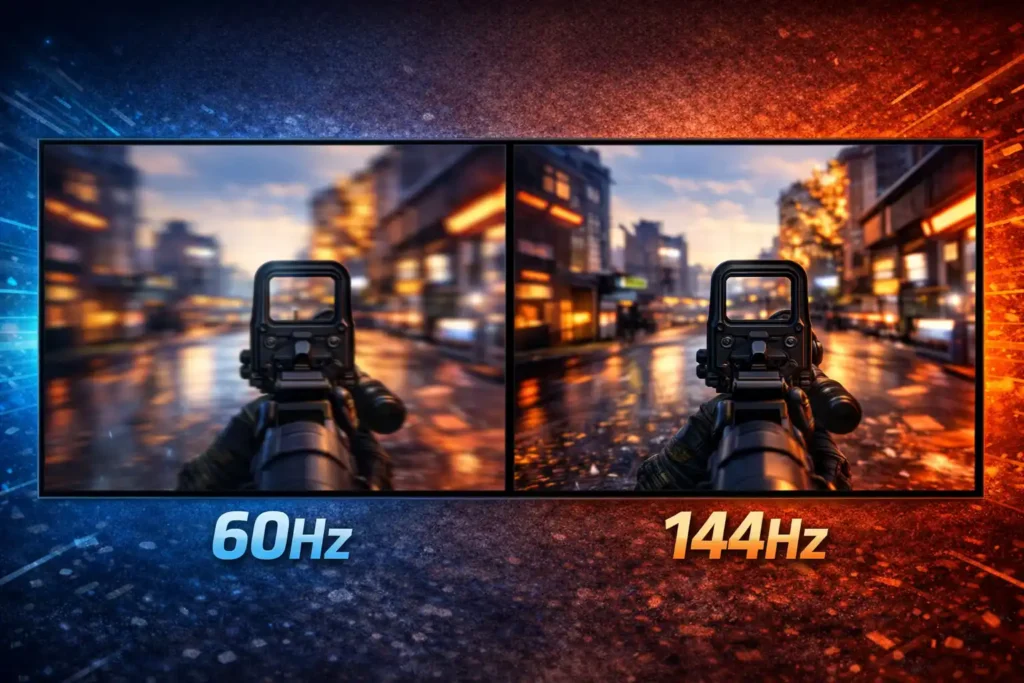
For the longest time, 60Hz was the universal standard. Almost every office monitor, budget TV, and entry-level gaming display shipped at 60Hz, and for a large portion of PC users, it still gets the job done.
At 60Hz, the screen refreshes 60 times per second. For everyday tasks — browsing, watching YouTube, writing documents, casual gaming — 60Hz is perfectly acceptable. You won’t feel anything is wrong if you’ve never used a higher refresh rate monitor.
90Hz — The Middle Child Nobody Talks About
90Hz Monitor is an interesting option that sits between 60Hz and 120Hz. It’s more common on budget gaming phones and some mid-range monitors. Compared to 60Hz, 90Hz offers a noticeable jump in smoothness — the screen refreshes every 11.11 milliseconds instead of 16.67 milliseconds.
In practical terms, motion looks cleaner, fast camera pans feel more natural, and the gaming experience feels more responsive. However, 90Hz never really became mainstream in the PC monitor world. Most manufacturers jumped straight from 60Hz to 120Hz or 144Hz, which offered a more dramatic improvement worth the price premium.
You’ll encounter 90Hz more often in the mobile gaming space. If you’re building a budget gaming PC, there’s very little reason to specifically target a 90Hz monitor. You’ll find better value either stepping down to a quality 60Hz IPS panel or stepping up to 144Hz where the real gaming improvement kicks in.
120Hz — The Smooth Experience Begins Here
120Hz is where things get genuinely interesting for gamers, and it’s also where you start seeing a real, visible difference in everyday use — not just in benchmarks.
At 120Hz, the screen refreshes every 8.33 milliseconds. Compared to 60Hz, that’s exactly twice the smoothness. The improvement isn’t subtle — it’s immediate and obvious the first time you use a 120Hz display. Windows animations look glassy smooth, scrolling through web pages feels effortless, and in games, character movement and environmental detail during fast motion appears dramatically sharper.
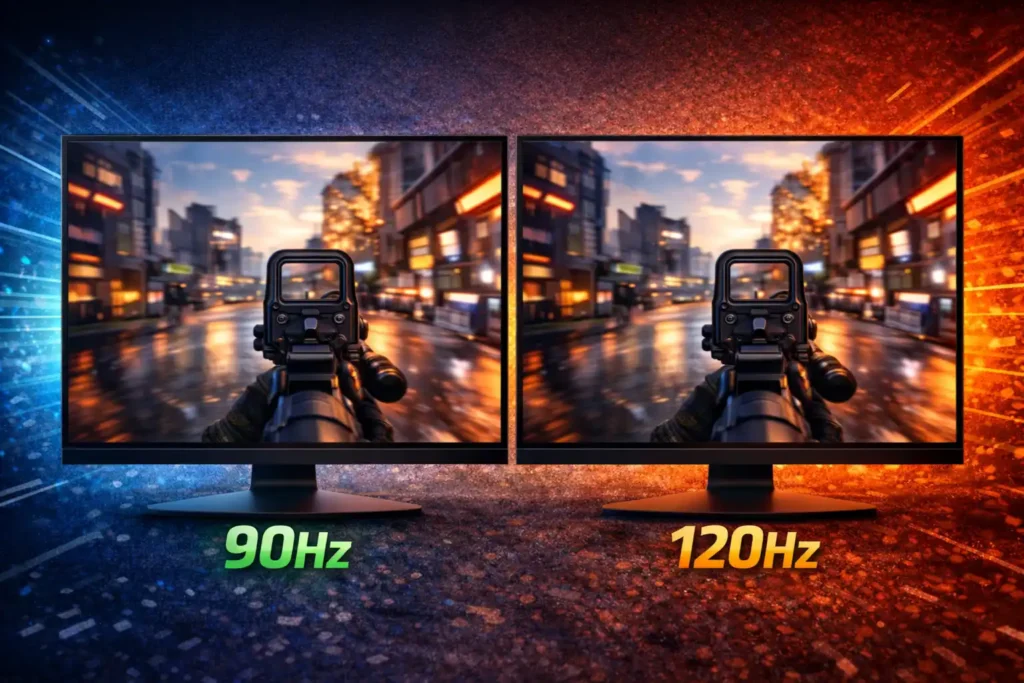
120Hz is particularly popular as a console gaming standard. The PlayStation 5 and Xbox Series X both support 120Hz gaming at 1080p and 1440p, which is why a lot of next-gen TV and monitor buyers are targeting this spec.
For PC gamers, 120Hz is a respectable choice, especially if your GPU sits in the mid-range tier and can consistently push frame rates above 100 FPS in your preferred games. An NVIDIA RTX 4060 or AMD RX 7600 can reasonably sustain 120+ FPS in most titles at 1080p, making a 120Hz monitor a solid match.
144Hz — The Sweet Spot for PC Gamers
If you ask most experienced PC gamers what the best value refresh rate is, the answer will almost universally be 144Hz. There’s a reason this number has been the go-to standard for gaming monitors for years.
At 144Hz, the screen refreshes every 6.94 milliseconds. The jump from 60Hz to 144Hz is massive — one of the single biggest upgrades you can make to your gaming experience without changing your GPU. The jump from 120Hz to 144Hz is smaller but still perceptible to most people.
Why has 144Hz stuck around as the sweet spot? It balances three things perfectly: price, GPU demand, and visual smoothness. Monitors at 144Hz are widely available across all budget ranges in India, from sub-Rs10,000 panels to premium options above Rs25,000. Mid-range GPUs can push 144+ FPS in competitive titles like Valorant, BGMI, or CS2 without needing top-end hardware.
In competitive gaming, 144Hz can be the difference between seeing and reacting to an enemy, and missing them entirely. The lower input latency at 144Hz (combined with a low response time monitor) means your on-screen character reacts to your mouse or controller input faster. In timed matches, this matters enormously.
144Hz monitors also typically come with features like 1ms response time (TN or IPS), adaptive sync (AMD FreeSync or NVIDIA G-Sync), and support for resolutions up to 1440p. This makes them a well-rounded package for the majority of gamers.
165Hz Monitor — The Next Step in Competitive Performance
165Hz is essentially the upgraded 144Hz. The mathematical difference between the two — roughly 21 more refreshes per second — sounds minor, but in practice, 165Hz monitors are usually better in ways beyond just the number.
Here’s why: Most 165Hz monitors also come with improved panel technology, better color accuracy, faster response times, and more advanced adaptive sync ranges. When you’re shopping at the 165Hz tier, you’re generally getting a better-built monitor overall. The extra refresh rate is almost a bonus on top of the improved hardware.
In terms of raw gaming feel, most people — even experienced gamers — cannot reliably distinguish between 144Hz and 165Hz in a blind test. However, the monitors that carry the 165Hz label tend to have superior specifications across the board, which indirectly makes the gaming experience better.
If the price difference between a 144Hz and a 165Hz monitor is small — say Rs1,500 to Rs2,500 — you should almost always go for the 165Hz model. You get a bit more headroom for your GPU, future-proofing for games that demand higher frame rates, and usually a better-built panel.
The Diminishing Returns Chart (In Simple Terms)
It helps to think about upgrade impact in percentage terms:
Going from 60Hz to 144Hz is a 140% increase in refresh rate — and the visual and gaming improvement is enormous, immediately apparent to anyone.
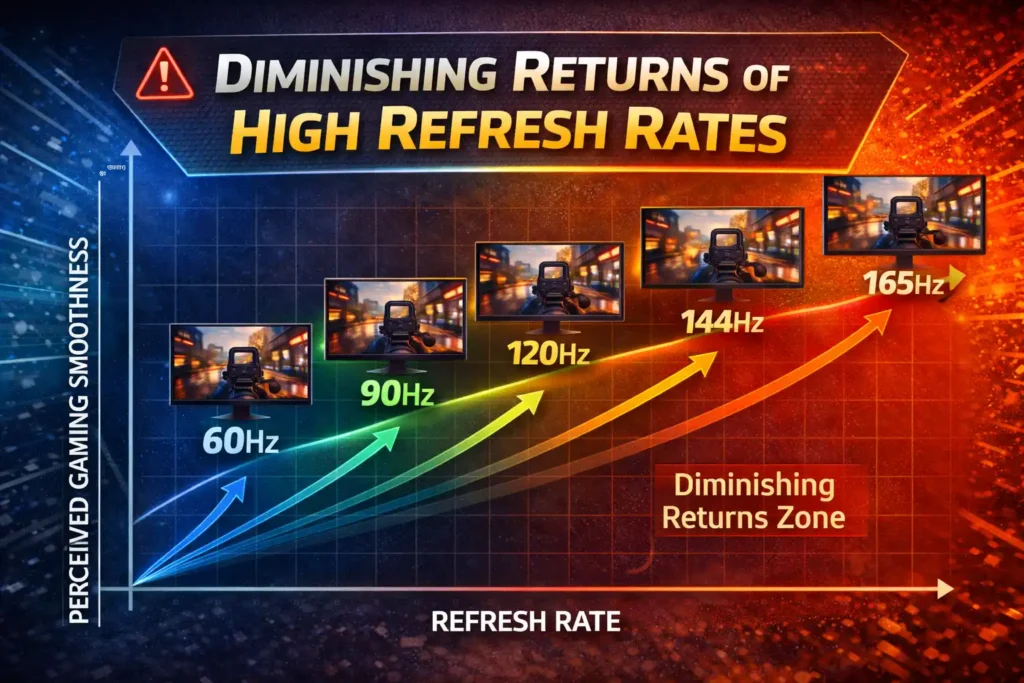
Going from 144Hz to 165Hz is roughly a 14.5% increase — a smaller jump, but still worthwhile if the price difference is negligible.
Going from 165Hz to 240Hz is about 45% more — noticeable to trained competitive players, but demanding significantly more GPU power to actually utilize.
This is why 144Hz and 165Hz represent the sweet zone for the majority of gamers. You get the bulk of the benefit without needing an Rs80,000 GPU to max out the frame rate.
Quick Comparison: 60Hz vs 90Hz vs 120Hz vs 144Hz vs 165Hz
Refresh Rate | Frame Time | Smoothness Level | Best For | Minimum GPU Needed | Price Range (India) |
60Hz | 16.67ms | Basic | Casual gaming, office work | GTX 1050 / RX 570 | ₹5,000 – ₹9,000 |
90Hz | 11.11ms | Decent | Budget gaming, mobile ports | GTX 1060 / RX 580 | ₹7,000 – ₹11,000 |
120Hz | 8.33ms | Smooth | Console gaming, mid-range PC | RTX 3060 / RX 6600 | ₹10,000 – ₹16,000 |
144Hz | 6.94ms | Very Smooth | Competitive FPS gaming | RTX 3060 / RX 6600 | ₹10,000 – ₹22,000 |
165Hz | 6.06ms | Ultra Smooth | Serious competitive gaming | RTX 4060 / RX 7700 XT | ₹14,000 – ₹28,000 |
Does Your GPU Matter for Refresh Rate? Absolutely.
Lorem ipsum dolor sit amet, consectetur adipiscing elit. Ut elit tellus, luctus nec ullamcorper mattis, pulvinar dapibus leo.
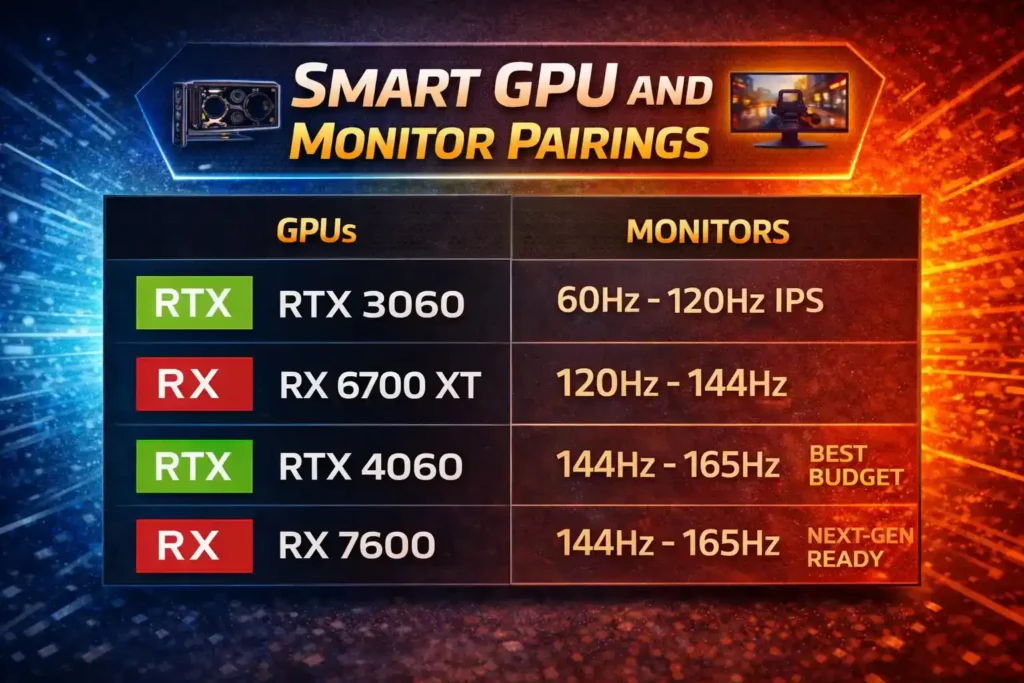
If you’re running a mid-range GPU like an RTX 4060 Ti or RX 7700 XT, a 165Hz 1440p monitor becomes viable. These cards can push 120–165 FPS at 1440p in less demanding titles.
If you’re on an older GPU — say an RX 580 or GTX 1060 — stick with a good quality 60Hz or 75Hz monitor. There’s no point paying for 144Hz if your card can’t reach those frame rates consistently.
Adaptive Sync: The Technology That Makes It All Work Together
No discussion about refresh rates is complete without mentioning AMD FreeSync and NVIDIA G-Sync. These technologies synchronize your monitor’s refresh rate to your GPU’s current frame output. This eliminates screen tearing (a horizontal split in the image) and reduces stuttering when your FPS dips below your monitor’s maximum.
At 144Hz or 165Hz, adaptive sync becomes even more valuable because frame rate fluctuations are more visible at higher refresh rates. A monitor with FreeSync Premium (AMD) or G-Sync Compatible certification is worth the small additional cost for most gamers.
Most modern gaming monitors at 144Hz and above include some form of adaptive sync, so this shouldn’t be a dealbreaker — just something to verify before purchasing.
Which Refresh Rate Should You Actually Buy?
Here’s the straight answer based on your use case:
Casual gamer on a tight budget: A quality 60Hz IPS panel will serve you well. Spend the savings on a better GPU or more RAM.
Mid-range gamer who plays competitive titles: 144Hz at 1080p is the single best upgrade you can make. This is where most Indian gamers should aim.
Serious competitive gamer or someone who plays FPS games daily: Target 165Hz. The price premium over 144Hz is usually modest, and the overall monitor quality at this tier is noticeably better.
Console + PC hybrid gamer: 120Hz at 4K or 1440p is a great target. It satisfies the PS5/Xbox Series X spec and offers excellent visual fidelity.
Professional esports player or streamer: 240Hz and above is where you go when every millisecond counts, but you’ll need a high-end GPU to match it.
Final Thoughts
Refresh rate is one of those specs that genuinely changes how gaming feels — not just on paper, but in real, everyday use. The jump from 60Hz to 144Hz is one of the most impactful upgrades a PC gamer can make, often more noticeable than switching from a mid-range to a high-end GPU.
The key is matching your monitor’s refresh rate to what your GPU can actually deliver. A 165Hz monitor paired with a capable mid-range GPU and adaptive sync technology is the sweet spot that most Indian gamers should aim for in 2024 and beyond. It gives you competitive performance, visual smoothness, and excellent value without demanding bleeding-edge hardware.


