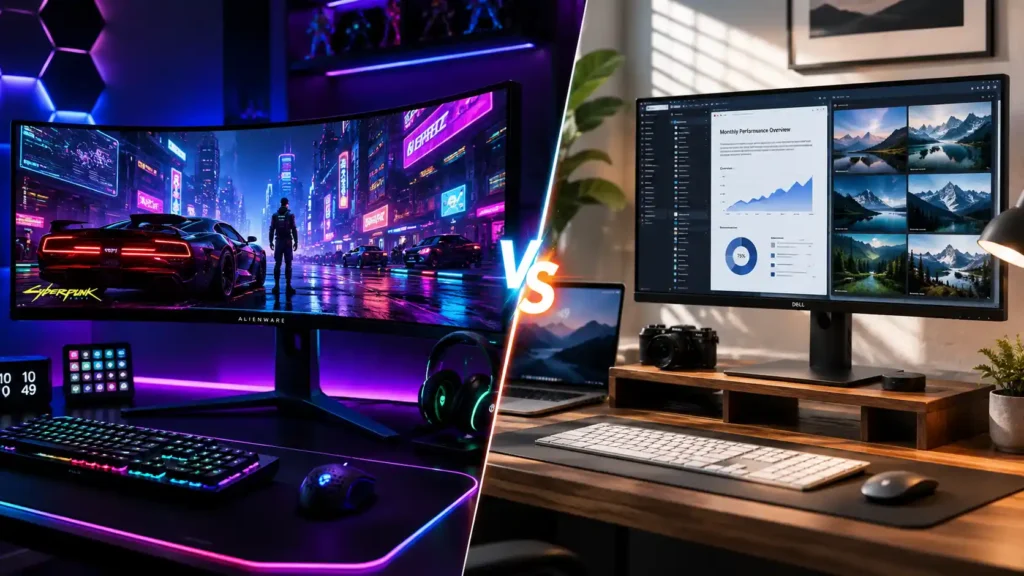
If you’ve spent even ten minutes browsing monitors on Amazon or Flipkart, you’ve hit this wall: should you go curved or flat? Five years ago, curved monitors were a gimmick reserved for ultra wide enthusiasts. In 2026, that’s no longer true — curved OLED panels dominate the premium gaming segment, while flat monitors have quietly become the default choice for anything involving straight lines, colour accuracy, or a second monitor on your desk.
The honest answer is that neither is better. They’re built for different jobs. A curved 34-inch ultra wide will make Cyberpunk 2077 or a racing sim feel like nothing you’ve experienced on a flat screen — but hand that same monitor to a graphic designer working in Photoshop, and they’ll notice their straight lines look subtly off near the edges. This guide breaks down exactly where each format wins, backs it with real specs and pricing, and ends with three premium monitors actually worth your money in India right now.
Curved vs Flat Monitor — Quick Comparison
| Factor | Curved Monitor | Flat Monitor |
| Immersion | Excellent, especially 32″+ | Good, but no wraparound effect |
| Competitive/Esports gaming | Not preferred (edge distortion at crosshair) | Preferred by most pro players |
| Eye comfort on long sessions | Generally better at large sizes | Fine at 24–27″, more strain at 32″+ |
| Multi-monitor setups | Harder to align bezels | Easy, seamless side-by-side |
| Design, photo & video editing | Risk of skewed perception on straight lines | Better for color & geometry accuracy |
| Best screen size | 32″ and above, ultrawide | Any size, especially under 27″ |
| Wall mounting | Trickier, limited VESA options | Simple, flush against wall |
| Typical price for same specs | Slightly higher | Slightly lower |
What Is a Curved Monitor?
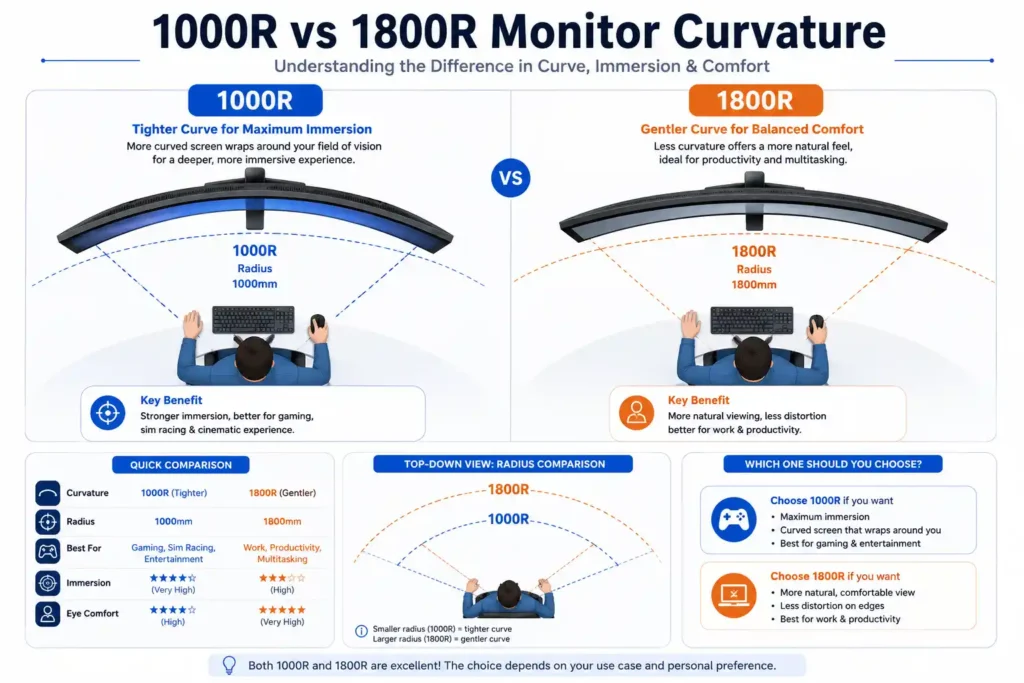
A curved monitor bends the screen toward you in an arc, measured in a unit called R — the radius of the circle that curve would form if completed. A 1000R monitor is curved tightly enough that if you extended the arc all the way around, it would form a circle with a 1000mm radius. The smaller the R number, the more aggressive the curve.
In 2026, most premium gaming monitors sit between 1000R and 1800R. Tighter curves (1000R) are common on ultrawide and super-ultrawide panels because they need more bend to keep the edges within your natural field of view. Gentler curves (1800R–3000R) show up on standard 16:9 monitors where the curve is more about comfort than dramatic immersion.
What Is a Flat Monitor?
A flat monitor is exactly what it sounds like — a completely planar screen with no bend. It’s the format that’s been standard since LCDs replaced CRTs, and it remains the default for office monitors, laptops, TVs, and the vast majority of monitors sold globally. Flat panels are simpler and cheaper to manufacture at scale, which is part of why flat monitors dominate the budget and mid-range segments even today.
Curved Monitor: Pros and Cons
- Wraps your peripheral vision in. On a large curved screen, the edges fall naturally within your eye’s resting field of view instead of receding away from you. Open-world games, flight sims, and racing titles benefit the most — you genuinely feel surrounded rather than just looking at a screen.
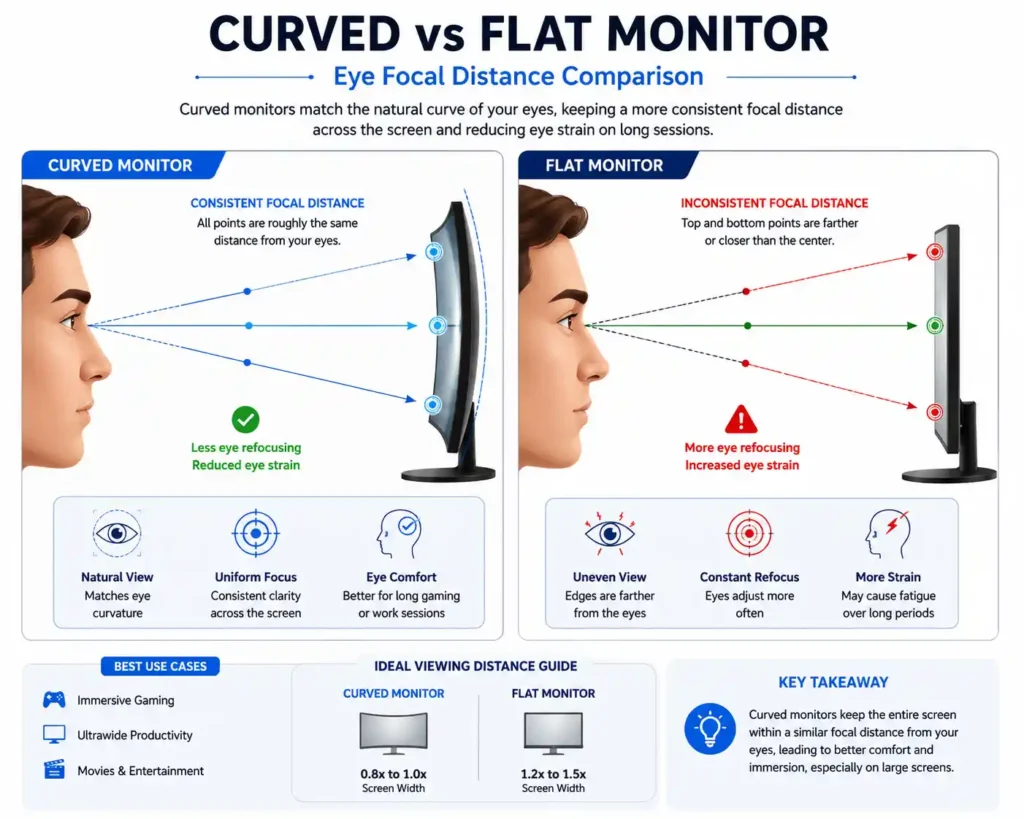
- Reduces eye refocusing on big screens. On a flat 32″+ monitor, your eyes constantly adjust focal distance as they scan from the center to the corners. A curved screen keeps every point roughly equidistant from your eyes, which several ergonomics studies suggest can reduce strain during long sessions — particularly relevant if you’re gaming or working 6+ hours a day.
- One screen instead of two or three. A 34″ curved ultrawide can replace a dual-monitor setup for multitasking — code editor, browser, and Slack side by side — without a bezel cutting through the middle of your workspace.
- Feels premium. There’s no getting around it — a curved OLED on your desk looks and feels like a flagship product the moment you sit down in front of it.
- Edge distortion for precision work. Straight lines near the edges of a curved panel can look very subtly bent. For CAD, architectural work, or pixel-perfect photo editing, this is a real (if minor) drawback.
- Multi-monitor alignment is annoying. Lining up two curved monitors side by side leaves an ugly gap where the bezels don’t meet flush.
- Off-center seating hurts the experience. Sit even slightly off-axis and the immersion curved monitors are known for starts to fall apart — colors and geometry shift more noticeably than on a flat panel.
- Competitive gamers mostly skip it. In games like Valorant or CS2, consistent crosshair placement matters more than immersion, and a flat screen keeps that geometry perfectly uniform edge to edge.
Flat Monitor: Pros and Cons
- Perfectly consistent geometry. No bend means no distortion — ideal for anyone doing layout work, video editing, spreadsheets, or competitive shooters who need pixel-accurate aim.
Effortless multi-monitor setups. Flat panels sit flush against each other, making dual or triple monitor builds clean and seamless.
Wider practical viewing angle for sharing. If a friend or colleague is looking at your screen from the side, a flat panel doesn’t distort the image the way a curved one does.
Easier and cheaper to wall mount. Most VESA wall mounts and monitor arms are built with flat panels in mind.
- No wraparound immersion. Even on a great flat monitor, you’re still looking at a screen rather than feeling surrounded by it.
More eye travel on large sizes. A 32″+ flat monitor genuinely asks more of your eyes over a long session compared to an equivalent curved screen.
Curved vs Flat for Gaming — Which Wins?
This really comes down to what you play.
Go curved if you play: open-world RPGs (Elden Ring, Cyberpunk 2077), racing sims, flight sims, story-driven single-player games, or anything where you want maximum visual immersion. A curved ultra wide turns these games into a genuinely different experience — it’s the single biggest wow factor upgrade you can make to a gaming setup short of buying a new GPU .
Go flat if you play: competitive shooters (Valorant, CS2, Apex Legends), MOBAs, or fighting games where reaction time and precise aim matter more than atmosphere. Most professional esports setups — even at LAN events — use flat panels, both for consistent geometry and because pros want to practice on exactly the hardware they’ll compete on. Also read 5 best cpu buying guides under 30k.
Go flat if you play: competitive shooters (Valorant, CS2, Apex Legends), MOBAs, or fighting games where reaction time and precise aim matter more than atmosphere. Most professional esports setups — even at LAN events — use flat panels, both for consistent geometry and because pros want to practice on exactly the hardware they’ll compete on. Also read 5 best cpu buying guides under 30k.
Curved vs Flat for Work and Productivity — Which Wins?
For general office multitasking — documents, browser tabs, spreadsheets, video calls — a curved 34″ ultrawide is genuinely excellent. It replaces a two-monitor setup with one cable, one stand, and zero bezel interrupting your view. If you’re someone who tiles four or five windows at once, this is a real productivity upgrade.
But the moment your work involves anything where straight lines or color accuracy matter — video editing, photography, graphic design, architecture, finance dashboards with detailed grids — a flat monitor is the safer, more professional choice. Editors specifically avoid curved screens because a curve can subtly distort your perception of contrast and geometry near the edges, which matters when you’re color-grading a video or checking layout alignment.
Quick rule of thumb: if your work output is judged by other people on a flat screen (a video, a design file, a printed document), edit it on a flat monitor.
Curved vs Flat — The Eye Strain Question
This is one of the most searched questions around this topic, so it’s worth addressing directly. The core idea behind curved-monitor ergonomics is simple: on a flat screen, the corners are physically farther from your eyes than the centre, so your eyes have to keep refocusing as they scan across. On a curved screen, every point on the display sits at a more consistent distance from your eyes, which several display ergonomics studies suggest can reduce the refocusing fatigue during long sessions — particularly on screens 32 inches and above.
That said, this benefit mostly shows up at larger screen sizes. On a 24–27″ monitor sitting at a normal desk distance, the difference between curved and flat is minor enough that most people won’t notice it. Eye strain at any screen size is also heavily influenced by brightness, blue light, screen distance, and how often you take breaks — the 20-20-20 rule (every 20 minutes, look at something 20 feet away for 20 seconds) still matters more than your monitor’s shape.
3 Best Premium Monitors in India (2026)
Here are three premium monitors worth your money right now — one built purely for immersive gaming, one as the best all-rounder for gaming and serious work, and one for players and professionals who want the sharpest, fastest flat panel money can buy in India.
Note before you buy: Prices below are approximate as of June 2026 and fluctuate with sales, bank offers, and stock. Always check the live price on Amazon before purchasing.
1. Dell Alienware AW3423DWF — Best Premium Curved Monitor
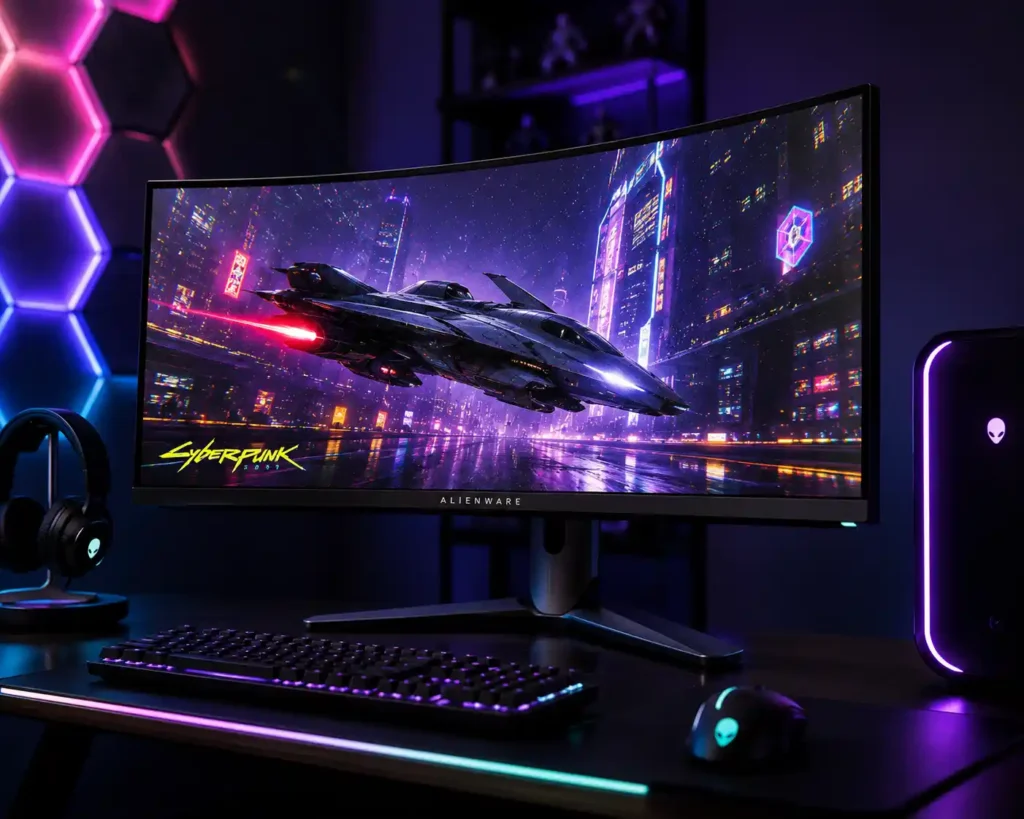
- Panel: 34″ QD-OLED, 1800R curve, 3440 x 1440 (WQHD)
- Refresh rate: 165Hz | Response time: 0.1ms GtG
- HDR: VESA DisplayHDR True Black 400, 1000 nits peak brightness
- Color: 99.3% DCI-P3, factory calibrated (Delta E < 2)
- Adaptive sync: AMD FreeSync Premium Pro, G-Sync compatible
- Price: Around ₹62,000–65,000
Why it’s the best: This isn’t just our pick — it’s been an Editor’s Choice winner across PC World, Tom’s Guide, and Tom’s Hardware since launch, and it remains one of the most respected ultra wide gaming monitors in the world. The QD-OLED panel delivers true blacks and color that LCD panels simply can’t match, and the 1800R curve at 34 inches is the sweet spot — immersive without feeling gimmicky. For open-world gaming and single-screen productivity multitasking, this is as good as it gets without spending six figures.
Who should buy it: Gamers who play story-driven, open-world, or racing titles and want one screen that replaces a dual-monitor setup for work too.
Who should NOT buy it: Competitive FPS players who want a flat panel, or anyone doing color-critical design work where geometry accuracy matters.
Check Price on Amazon →2. BenQ MOBIUZ EX321UZ — Best Premium Flat Monitor (Gaming + Work All-Rounder)
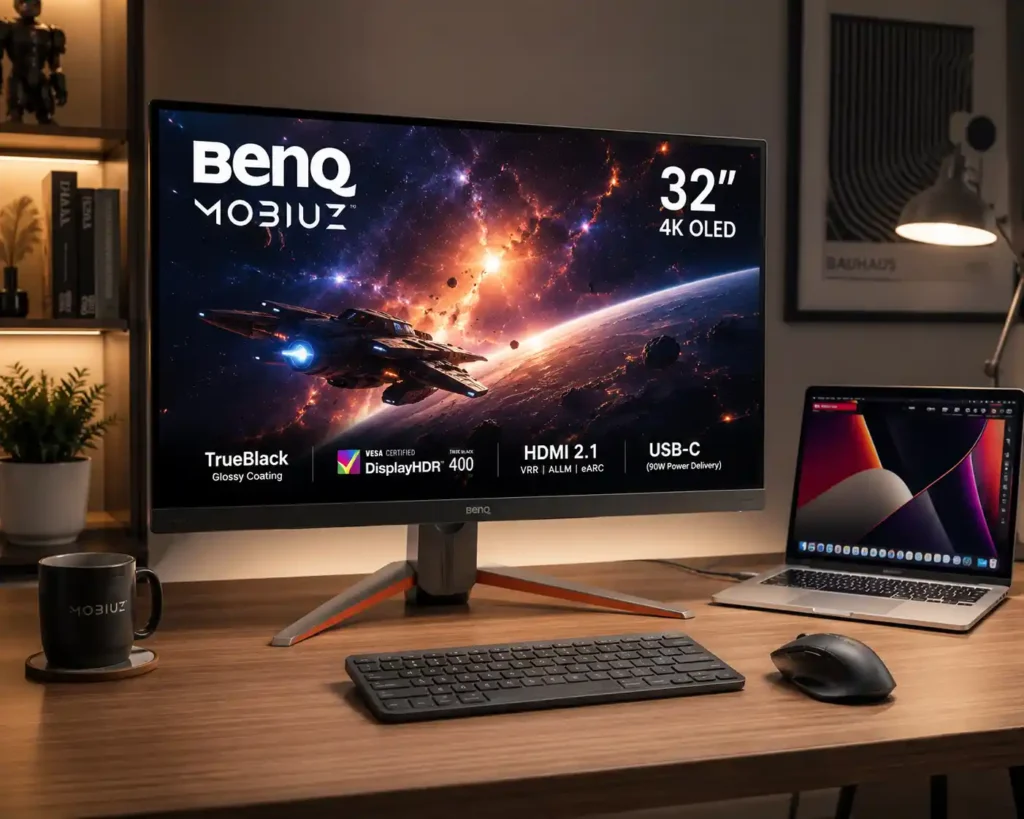
- Panel: 31.5″ flat, 4th Gen Tandem QD-OLED, 3840 x 2160 (4K)
- Refresh rate: 1240Hz | Response time: 0.03ms GtG
- HDR: VESA DisplayHDR True Black 500
- Color: 99% DCI-P3, BenQ Spectral Color Refinement for gradient accuracy
- Connectivity: DisplayPort 2.1 (80Gbps), HDMI 2.1, USB-C 90W
- Price: ₹1,28,998 (launched in India May 19, 2026)
Why it’s the best: This is the newest monitor on this list — it just launched in India and is being marketed as the world’s first Game Art Monitor. What makes it stand out for our purposes is the Tandem QD-OLED panel, a newer panel architecture that pushes brightness higher than typical OLEDs while keeping the perfect blacks, which directly addresses the biggest OLED weakness: brightness fade during long sessions. At 4K and 240Hz on a flat panel, this monitor does double duty exceptionally well — sharp enough for serious creative and professional work, and fast enough to be a genuine high-end gaming display. The USB-C 90W port also means it can charge a laptop while acting as your external display.
Who should buy it: Anyone who wants one premium monitor for both AAA gaming and serious creative or office work — content creators, hybrid gamers, and professionals who refuse to compromise on either side.
Who should NOT buy it: Pure budget-focused buyers, or competitive esports players who’d rather have a smaller, even-faster 1440p panel.
Check Price on Amazon →3. Dell Alienware AW2725DF — Best Premium Flat Monitor for Competitive Gaming + Everyday Work
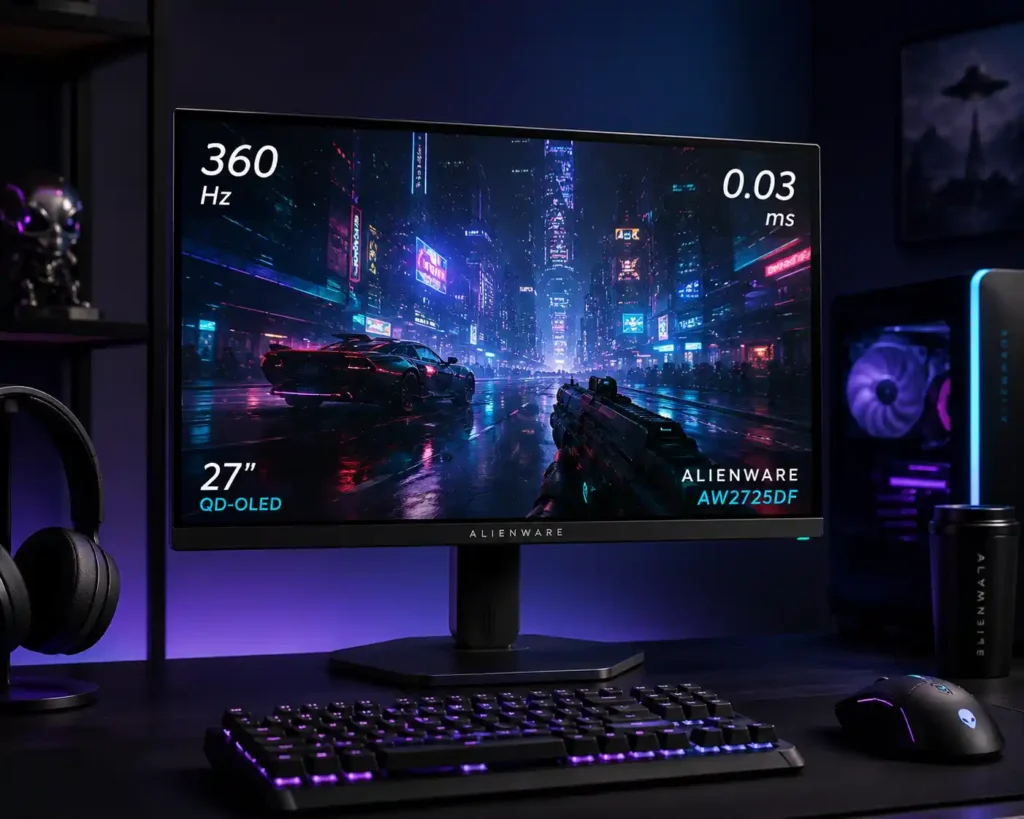
- Panel: 26.7″ flat QD-OLED, 2560 x 1440 (QHD)
- Refresh rate:360Hz (DisplayPort) / 144Hz (HDMI) | Response time: 0.03ms GtG
- HDR: VESA DisplayHDR True Black 400
- Color: 99.3% DCI-P3, 1.5 million:1 contrast
Adaptive sync: AMD FreeSync Premium Pro
Price: Around ₹70,000–75,000
Why it’s the best: This was the world’s first 360Hz QD-OLED monitor, and it’s earned Editors’ Choice praise from Reviewed.com and PC World for good reason. At 27 inches, flat, and QHD resolution, it hits the exact sweet spot competitive players want — no curve to throw off crosshair geometry, blistering refresh rate for fast-paced shooters, and OLED color and contrast most flat IPS panels can’t touch. Its compact hexagonal stand also frees up desk space, and the flat 27″ size makes it just as comfortable for spreadsheets and browser tabs as it is for ranked matches.
Who should buy it: Competitive gamers who want the fastest, sharpest flat panel available, plus anyone who wants a single monitor that’s equally great for work and play without an oversized footprint.
Who should NOT buy it: Buyers chasing maximum cinematic immersion — for that, the curved AW3423DWF above is the better pick.
Check Price on Amazon →Curved vs Flat — Which Should You Actually Buy?
If you’re building a new PC and haven’t finalized your monitor budget yet, check out our ₹50,000 PC build guide to see how a premium monitor fits into a complete build budget.
If you’re still unsure, use this quick decision guide:
- You play open-world, racing, or story-driven games and want one screen for everything → Curved (AW3423DWF)
- You want the single best all-rounder for high-end gaming and professional work → Flat 4K (BenQ EX321UZ)
- You’re a competitive gamer who also works at a desk all day → Flat QHD (AW2725DF)
- You’re planning a dual or triple monitor setup → Flat, always
- Your work involves design, video editing, or anything color-critical → Flat, always
Frequently Asked Questions
Is a curved monitor better than a flat monitor for gaming?
It depends on the genre. Curved monitors are better for immersive, single-player, and open-world gaming. Flat monitors are generally preferred for competitive, fast-paced shooters where consistent screen geometry matters more than immersion.
Is a curved monitor good for the eyes?
At larger screen sizes (32″+), curved monitors can reduce the eye refocusing needed to scan across the screen, which some users find more comfortable during long sessions. At smaller sizes (24–27″), the difference is minimal.
Can I use a curved monitor for video editing or photo editing?
You can, but it’s not ideal. The curve can subtly distort how straight lines and gradients appear near the edges. Most professional editors prefer flat monitors for this reason.
What curvature is best — 1000R, 1500R, or 1800R?
1000R is the most aggressive curve, best for ultrawide and super-ultrawide monitors. 1800R is gentler and works well on standard 34″ ultrawides. There’s no universal best — it depends on screen size and personal preference.
Are curved monitors more expensive than flat monitors?
Generally, yes, for the same panel technology and specs, but the gap has narrowed significantly in 2026 as curved OLED panels have become more common.
Which is the best premium monitor in India for gaming and work in 2026?
Based on current pricing and specs, the BenQ MOBIUZ EX321UZ is the best overall pick if you want one monitor that excels at both, while the Dell Alienware AW3423DWF and AW2725DF are the top picks if you want to lean specifically curved or flat.
Final Thoughts
There’s no single right answer to curved vs flat — only a right answer for you. If immersion and single-screen multitasking matter most, go curved. If precision, competitive performance, or multi-monitor flexibility matter more, go flat. The good news in 2026 is that you no longer have to choose between premium quality and the right format — all three monitors above deliver flagship-level specs, you just need to match the shape to how you actually use your desk.

