Best Monitor Under 25k
Ask ten people in any PC group which is best monitor under 25k to buy and you’ll get twelve answers. Someone swears by 4K, someone says 1440p at 240Hz and above is the only sane choice, and there’s always one person who bought an ultrawide and won’t shut up about it.
They’re all a little bit right, which is exactly why this budget is annoying. ₹25,000 is the range where you stop compromising on basics like panel type and resolution, and start compromising on which thing you want most: sharpness, speed, size, or extra ports.
So this isn’t a top 5, all great, buy-any list. Each of these five monitors is good at one thing and mediocre at something else. My job here is to tell you what that trade-off is, so you don’t find out after the return window closes.
The five monitors:
- Acer Nitro XV272U F3 (27″ QHD, 300Hz), ₹21,599
- Lenovo Legion R32qc-30 (32″ QHD curved, 180Hz), ₹23,450
- Acer Nitro VG270K V2 (27″ 4K, 144Hz), ₹24,599
- LG 29U531A (29″ ultrawide, 100Hz), ₹17,499
- Dell S2725QS (27″ 4K, 120Hz), ₹28,599 (over budget, explained below)
Disclosure: some links on this site are affiliate links. If you buy through them we may earn a small commission at no extra cost to you. It doesn’t change what I say about a product.
The quick version
| Monitor | Size / Resolution | Refresh | Price | Best for |
|---|---|---|---|---|
| Acer Nitro XV272U F3 | 27″ / 2560×1440 | 300Hz | ₹21,599 | Competitive games at high fps |
| Lenovo Legion R32qc-30 | 32″ / 2560×1440 curved | 180Hz | ₹23,450 | Big immersive screen, mixed use |
| Acer Nitro VG270K V2 | 27″ / 3840×2160 | 144Hz (288Hz at FHD) | ₹24,599 | One monitor for games, movies, work |
| LG 29U531A | 29″ / 2560×1080 ultrawide | 100Hz | ₹17,499 | Multitasking on a tight budget |
| Dell S2725QS | 27″ / 3840×2160 | 120Hz | ₹28,599 | Office, media, clean design |
If you only read one line: pick the VG270K V2 if you have a strong GPU and want one monitor for everything, the XV272U F3 if you play fast shooters, and the LG if money is tight and you work more than you play.
Now the reasoning.
Before you pick: three things people get wrong
1. Size and resolution have to match
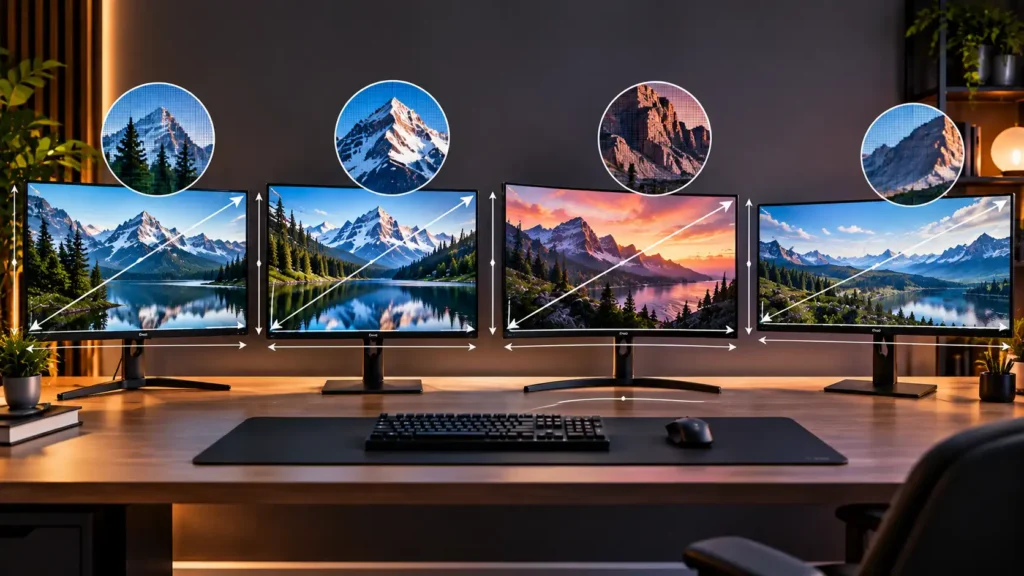
This is the mistake I see most often. Sharpness depends on pixel density (PPI), not resolution alone. Here’s what these five actually give you:
- 27″ at 1440p: about 109 PPI
- 27″ at 4K: about 163 PPI
- 32″ at 1440p: about 92 PPI
- 29″ ultrawide at 2560×1080: about 96 PPI
That 32-inch QHD number is why some people buy a big monitor and feel underwhelmed. Text on a 32″ QHD screen looks noticeably softer than on a 27″ QHD one, because the same pixels are spread over a bigger area. It’s not bad, and at normal desk distance most people adjust in a day or two, but it’s not crisp. 4K at 27″ is the opposite: text looks printed.
2. Your GPU decides which monitor makes sense
A 300Hz monitor with a GPU that manages 90fps in your favourite game gives you a 90Hz experience. A 4K monitor driven by a weak card forces you to lower settings or run upscaling. Before spending on the monitor, look at what’s inside your PC.
Rough guide: 4K gaming at decent settings wants something around an RTX 4070 / 5070 or RX 7800 XT class card or better, usually with DLSS or FSR helping. 1440p at 144 to 200 fps is comfortable on mid-range cards. 1080p ultrawide is easy on almost any modern GPU.
If you’re building a budget PC and the GPU is the weak link, spend on the GPU first. A great Monitor on a weak card is a wasted upgrade.
3. HDR on a budget monitor mostly means nothing
Most monitors in this range say HDR400 or HDR10 on the box. Please don’t buy based on that. HDR400 is the lowest rung; it typically means about 400 nits peak brightness without local dimming, so bright and dark parts of the scene can’t be controlled separately. HDR10 on its own is a signal format, not a promise of quality. You’ll get a slightly brighter picture in some content, but not the punchy, deep-contrast HDR you see on a good OLED or mini-LED display. Treat it as a small bonus.
Now, the monitors.
1. Acer Nitro XV272U F3: the fast one
Price: ₹21,599 | 27″ IPS, 2560×1440, 300Hz, 0.5ms, HDR400, FreeSync Premium
Buy on AmazonIf your idea of a good time is Valorant, CS2, Apex or anything where a few milliseconds decide who wins the fight, this is the monitor on the list built for you.
300Hz at 1440p was a flagship spec not that long ago, and seeing it under ₹22,000 in India is a bit surprising. The panel is IPS, so colours and viewing angles are good, and the 27″ size at QHD gives that roughly 109 PPI I mentioned, which is a comfortable middle ground. You get clean text and enough detail to see enemies at a distance without your GPU crying.
What I like
The refresh rate is the obvious thing, but the more useful detail is how the whole package fits together. FreeSync Premium keeps the picture tear-free when your fps wobbles, and the 0.5ms response spec (measured the way manufacturers measure it, in a fast overdrive mode) tells you this is tuned for fast motion. The Ergostand means you can adjust height, which sounds boring until you’ve spent a month with a monitor that’s two inches too low and a stiff neck to prove it.
Then there’s the Zero Bright Dot policy. A bright stuck pixel on a dark background is the kind of thing you can’t unsee. Acer’s policy is aimed at exactly this, and it’s something worth reading the terms of before buying. Save the invoice and unbox in a well-lit room while checking the screen with plain black, white and red backgrounds during the return window.
What you should know
To actually use 300Hz you need frames to match. In esports titles that’s realistic: many of them run at 250fps and above on a decent mid-range GPU. In a heavy single-player game at high settings, you won’t get anywhere near it, and the monitor becomes a 100 to 144Hz screen with extra headroom.
The HDR400 label is there, but don’t count on it, for the reasons above. And the 0.5ms number appears at the most aggressive overdrive setting, which can introduce overshoot (faint bright trails behind moving objects). In practice you’ll live on a middle overdrive setting.
Who it’s for: competitive players with a capable GPU who don’t care about 4K.
Who should skip it: anyone who mostly watches videos, edits, or plays slow single-player games.
2. Lenovo Legion R32qc-30: the big curved one
Price: ₹23,450 | 32″ curved, 2560×1440, 180Hz, 0.5ms, FreeSync, 99% sRGB, 2x HDMI 2.1 (TMDS), 1x DP 1.4, 2x 3W speakers
Buy on AmazonA 32-inch monitor is a different experience from a 27-inch one. It fills your vision, and a curve helps the edges come toward you. If you play racing games, open-world games, or you just like a big screen for watching things, it’s immersive in a way a flat 27″ isn’t.
For the price you get a lot of monitor: 32 inches, 180Hz at QHD, 99% sRGB coverage, which is decent for general colour work, and a stand that does tilt, swivel, pivot and height. Going by Lenovo’s spec sheet this is a VA panel, which is worth double-checking on the listing you buy from. VA panels usually give stronger contrast than IPS, so blacks look deeper in dark games and movies. The trade-off is that fast-moving dark scenes can show some smearing compared with a good IPS.
What I like
The size for the money, mostly. It gives you a huge desktop, and 180Hz at 1440p is a sweet spot: fast enough that games feel smooth, and much easier to feed than 300Hz. Two HDMI 2.1 ports and a DisplayPort give you flexibility to connect a PC and a console.
About that TMDS label next to HDMI 2.1: it means the ports use the older signalling method rather than full-bandwidth HDMI 2.1. For this monitor that’s fine, since QHD at 120 to 180Hz doesn’t need the full pipe. Just don’t expect it to do anything 4K-related, and it doesn’t need to. The PS5 can output 1440p, so it works with consoles too.
The built-in speakers are 3W each. They exist. They’ll do for a YouTube video or a system beep. Buy headphones or desktop speakers.
What you should know
Sharpness is the compromise. About 92 PPI means text looks softer than on the 27″ QHD models, and if you sit close to the screen (say 60cm or less) you’ll notice it. Sit back a bit and it settles down. Also, 32″ is big. Measure your desk. In many Indian homes, desks are 60cm deep or less, and a 32″ curved monitor on a shallow desk is uncomfortable. The curve also makes it a poor fit for anything where you need straight lines to look straight, like some design work.
Pivot (portrait) mode is technically supported but on a 32″ curved screen, it’s more of a spec-sheet feature than something you’ll use.
Who it’s for: people who want a big, immersive screen for gaming and movies and sit a comfortable distance away.
Who should skip it: anyone with a shallow desk, anyone who reads a lot of small text, or anyone who wants a sharper picture.
3. Acer Nitro VG270K V2: the one that does it all
Price: ₹24,599 | 27″ IPS, 3840×2160, 144Hz, FHD 288Hz DFR, 1ms VRB, HDR10, 99% sRGB, FreeSync Premium, HDMI 2.1, DP, dual speakers, Smart Dial
Buy on AmazonThis is the most interesting monitor on the list, and the one I’d point most people to, provided their GPU can support it.
Start with the obvious: it’s 4K at 27 inches, so about 163 PPI. Text is razor sharp. Photos and video look great. Even a game that runs at moderate settings looks noticeably cleaner than on a 1440p screen. And unlike a lot of 4K monitors in this class, it isn’t limited to 60Hz: you get 144Hz.
The DFR trick
DFR stands for Dual Frame Rate. The idea: run at 4K up to 144Hz when you want detail, and switch to FHD (1920×1080) at up to 288Hz when you want raw speed for a competitive game. It’s not the same as having a native 1440p 300Hz panel, but it gives you a second monitor for esports on the same screen. Because 1080p divides cleanly into 4K (every pixel becomes a 2×2 block), it scales without the blur you get from odd ratios.
What I like
It covers many use cases without being bad at any of them. HDMI 2.1 means a PS5 or Xbox Series X can output 4K at 120Hz. The 99% sRGB coverage is good enough for photo and video hobby work. FreeSync Premium handles tearing. The Smart Dial is a small physical wheel for quick adjustments so you’re not fighting a joystick menu, which sounds trivial and isn’t: you use it every day. The speakers are dual, small, and, as with any monitor speakers, fine for casual use.
What you should know
The 1ms VRB is Visual Response Boost, which is Acer’s backlight-strobing style motion-blur reduction. It can make motion look sharper, but modes like this usually cost brightness and often can’t run together with variable refresh rate, so you choose between smoothness and clarity. Test it yourself and see which you prefer.
And the big caveat: 4K gaming is demanding. To make the most of this monitor you need the GPU class I mentioned earlier, or you’ll be relying on upscaling. If you have an older or budget card, you’ll spend most of your time running games at 1440p or 1080p, and the sharpness advantage disappears in games, though not in everything else you do on the screen.
At ₹24,599 it’s near the top of the budget. But a monitor lasts through several PC upgrades, and this is one you can keep when your GPU gets better.
Who it’s for: people who want one screen for gaming, movies, browsing and light creative work, and have (or plan to get) a strong GPU.
Who should skip it: people on integrated graphics or entry-level cards who only care about esports frame rates.
4. LG 29U531A: the budget ultrawide
Price: ₹17,499 | 29″ IPS ultrawide, 2560×1080, 100Hz, 5ms, HDR10, USB-C, HDMI, DP, speakers, tilt adjustable
Buy on AmazonThe cheapest monitor here by a good margin, and the one with the most different job. It isn’t trying to be a gaming monster. It’s built for people who want more screen space.
A 21:9 ultrawide is roughly two browser windows or a document and a spreadsheet side by side without needing two monitors and the cables that come with them. For anyone who works on a PC all day (students, spreadsheet people, coders, video editors working on timelines), it’s a real quality-of-life jump. The IPS panel gives good viewing angles and colour, and 100Hz is a nice step above the usual 60Hz office monitor, so even scrolling and mouse movement feel smoother.
What I like
The price, first of all: ₹17,499 for an IPS ultrawide with a USB-C port is good. USB-C means you can connect a laptop with a single cable, which is handy if you use both a desktop and a laptop. Borderless edges on three sides look tidy, especially if you ever add a second one later.
What you should know
Resolution is 2560×1080, so around 96 PPI. It’s fine for general use but it’s not sharp by today’s standards, particularly for small text. The 5ms response time and 100Hz refresh rate are perfectly fine for casual gaming, but this isn’t the monitor for fast shooters. The stand only tilts: no height or swivel adjustment, so if your desk and chair height don’t line up with it, you’ll want a monitor arm or a stack of books. Not every game supports 21:9 well, though most modern ones do.
Who it’s for: students, professionals and people who want productivity and casual gaming on a small budget.
Who should skip it: competitive gamers, or anyone who wants a sharp 4K image.
5. Dell S2725QS: over budget, but is it worth stretching?
Price: ₹28,599 | 27″ IPS, 3840×2160, 120Hz, 350 nits, 1,500:1 contrast, 4ms, 99% sRGB, FreeSync Premium, 2x HDMI, 2x 5W speakers, tilt/height/pivot/swivel
Buy on AmazonThis one is ₹3,599 above the ₹25,000 line, so I’m not going to pretend it belongs in the list. I’m including it because it’s the one people ask about when they hit the budget wall: Should I add a bit more?
Compared with the VG270K V2, the Dell costs about ₹4,000 more. What you get is a cleaner, more understated design, a full-adjustment stand (height, tilt, swivel and pivot), 5W speakers that are a step above the usual, a stated 1,500:1 contrast ratio (higher than typical IPS), and Dell’s reputation for consistent build. For an office setup, or someone who mostly reads, writes, and watches video, that’s a calmer and more polished product.
What you give up: it’s 120Hz rather than 144Hz, it doesn’t have the DFR high-refresh 1080p mode, and it’s less gaming-oriented overall. For a gaming setup, the Acer gives you more for less money.
My take: unless you specifically want the Dell’s design, its stand, or its look, the VG270K V2 is the better buy under ₹25,000. If you’re an office or content user who doesn’t game much and has room in the budget, the Dell is a nice place to spend the extra.

Which one should you actually buy?
Skip the specs for a second and think about what you do in front of the screen for most of the day.
I play Valorant, CS2, Apex and want every advantage. Acer Nitro XV272U F3. High refresh, sharp enough, and priced under ₹22,000.
I play a bit of everything, watch a lot of video, and my PC has a proper GPU. Acer Nitro VG270K V2. It’s the most versatile monitor here, and the one that ages best.
I want a big, immersive screen and my desk is deep enough. Lenovo Legion R32qc-30. Good contrast, big canvas, but be honest about the sharpness trade-off.
I work more than I play and the budget is tight. LG 29U531A. Cheapest by far, and the extra width is genuinely useful.
I’m willing to spend about ₹4,000 more for a polished, mostly-work monitor. Dell S2725QS, with the caveat that gamers get better value from Acer.
If I had to pick just one, unscrambled from everyone’s use case, it’s the VG270K V2. Not because it wins on every spec, but because it’s the one you’re least likely to regret in two years.
Things to check before you order
Test the panel in the return window. Every LCD can have a dead or stuck pixel, or backlight bleed. Unbox it the day it arrives, run through solid black, white, red, green and blue screens in a dim room, and keep the box until you’re sure. If something’s wrong, return it. Don’t wait for it to get better.
Check the cables you actually have. For 4K at 144Hz or 1440p at 300Hz you need a proper DisplayPort cable (or HDMI 2.1 where supported). The cheap cable that came free with an old monitor may not carry the signal. This is the reason a lot of people think their new 144Hz or 300Hz monitor is stuck at 60.
Set the refresh rate manually. In Windows, open Display Settings, then Advanced Display, and choose the top refresh rate. Monitors often default to 60Hz until you change it, and people run them like that for months without realising.
Look at the warranty and service network. Acer, Lenovo, LG and Dell all have service in India, but experience varies by city. A quick search for your city’s service centre, before buying, is worth two minutes.
Don’t trust the box numbers blindly. 0.5ms, 1ms, HDR, eye care: these are marketing-friendly specs measured in the best case. Reviews from people using the monitor for weeks are more useful than the spec sheet.
Mind your desk. Measure depth and width before ordering a 32″ or ultrawide. A monitor that doesn’t fit your desk is a return, however good it is.
FAQ : Monitor under 25k
Short answers to what readers ask us most before buying.
Is 4K worth it at 27 inches?
Yes for text, photos and video: a 27-inch 4K screen is a clear step up from 1440p. For gaming it depends on your GPU. If your card can hold 60+ fps at 4K in your games (or you are happy with upscaling), it is great. If not, 1440p is the smarter choice.
Is 300Hz noticeable compared to 144Hz?
Only a little for most people. Going from 144Hz to 300Hz is a smaller jump than going from 60Hz to 144Hz. Competitive players and people sensitive to motion notice it; most casual players won’t. And you only benefit if your fps is high enough.
Curved or flat?
It comes down to preference. Curved screens feel good on larger sizes like 32 inches and can be more immersive. Flat is better for work involving straight lines, and for multi-monitor setups.
Is an ultrawide good for gaming?
For many games, yes, and it feels immersive. Support varies by game, and the LG 29U531A, at 100Hz and 5ms, is better for casual play than competitive shooters.
Can I use these with a console?
Yes. The Acer Nitro VG270K V2 (HDMI 2.1, 4K) and the Dell S2725QS are the best fits for a PS5 or Xbox Series X. The Lenovo Legion R32qc-30 and the Acer Nitro XV272U F3 also work at 1440p.
Are monitor speakers any good?
No, not really. They are fine for casual use. If you care about sound, get headphones or a small speaker set.
Final verdict
Under ₹25,000, you’re choosing between speed, sharpness and size, and there’s no wrong answer, only a wrong match for your use case.
For most readers of this site, the Acer Nitro VG270K V2 at ₹24,599 is the one to look at first, provided you have the graphics card to support it. If fast shooters are the reason you’re buying a monitor, the Acer Nitro XV272U F3 at ₹21,599 is the smarter and cheaper choice. Go for the Lenovo Legion R32qc-30 only if you want size and have the desk for it. And if your budget is tight and your PC is more for work than play, the LG 29U531A at ₹17,499 does more than its price suggests.
Spend a little time thinking about your desk, your GPU, and what you actually do all day. That matters more than any spec on the box.
Prices were checked at the time of writing and change often, especially during sale periods. Always confirm the current price before ordering.


