Best GPUs Under 50k

  • Post author:
  • Post last modified:August 8, 2026
  • Reading time:9 mins read

Picking the best GPUs under 50k in India right now mostly comes down to one confusing fact: almost every card in this bracket is an 8GB card wearing different badges. AMD, Nvidia, three different board partners — and on paper, half of them look identical. I went through the actual spec sheets, current Amazon India pricing, and real benchmark data for four cards that are genuinely worth shortlisting in August 2026, instead of just repeating whatever the box says. Two are from Nvidia’s RTX 5060 family, one is AMD’s RX 9060 XT, and one runs slightly over budget but earns its place anyway. Here’s what each one actually gets you.

Before You Buy: What ₹50K Actually Buys You in 2026

Let’s get this out of the way first, because no roundup post will tell you this straight: every card on this list has 8GB of VRAM. The 16GB versions of the RTX 5060 Ti and RX 9060 XT exist, but they cost meaningfully more and push you out of this budget entirely.

That matters because 2026’s heavier titles — Black Myth: Wukong, Indiana Jones and the Great Circle, Cyberpunk 2077 with ray tracing cranked up — can genuinely eat past 8GB at 1440p Ultra settings. When that happens, you don’t just lose a few frames; you get stutter and texture pop-in that no driver update fixes. You may check these best gaming mouse under 1500
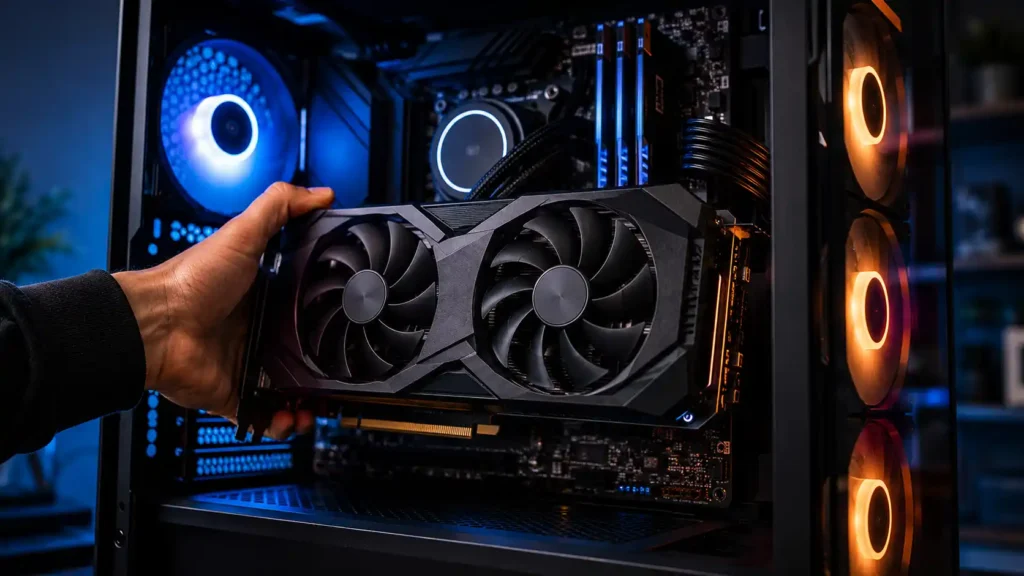
Installing a mid-range graphics card in a gaming PC build with RGB fans best gpus under 50k rxt 5060

So here’s the honest framing: think of every card in this article as a 1080p-first GPU, not a 1440p Ultra AAA machine. At 1080p, all four handle current games comfortably on high-to-ultra settings. At 1440p, you’re fine in most titles if you back off from Ultra to High — and that’s a completely reasonable trade-off at this price. If your build plan genuinely centers on 1440p Ultra gaming, that’s a different budget conversation, and this bracket isn’t it. But for the vast majority of budget and mid-range builds in India — 1080p 144Hz monitors, or 1440p at sensible settings — these four cards are exactly the right tier to be shopping in.

Best GPUs Under 50k : The 4 Cards Worth Shortlisting

AMD Radeon RX 9060 XT Steel Legend 8GB OC — ₹37,400
Best Value For Money

This is the card that makes the other three justify their price tags. Built on AMD’s RDNA 4 architecture with 32 compute units and 2,048 stream processors, it runs 8GB of GDDR6 on a 128-bit bus at 20Gbps, with boost clocks up to 3,320MHz and a 150W TDP — all on a triple-fan cooler with full PCIe 5.0 support.

In real benchmark testing, the 9060 XT trades blows with Nvidia’s base RTX 5060 almost evenly — sometimes a few percent ahead, sometimes a few percent behind, depending on the title. Given that Nvidia’s RTX 5060 cards on this list cost around ₹11,000 more, that’s a genuinely hard number for Nvidia to argue against. If you’re building a budget rig where every rupee saved on the GPU goes toward a better SSD, more RAM, or a stronger CPU, this is the pick.

Where it falls short: AMD’s FSR 4.1 upscaling is good but still a step behind Nvidia’s DLSS 4 in image quality and adoption across games. Ray tracing performance also trails Nvidia’s RT cores when you enable heavier RT effects, and NVENC (Nvidia’s video encoder) still has an edge for streamers and video editors doing GPU-accelerated exports.

Skip this if: you play a lot of ray-traced titles at their RT-heavy settings, or you stream/edit video regularly and want the smoothest hardware encoding experience. For pure rasterized gaming value, though, nothing else here comes close.

Check Price on Amazon

ASUS Prime GeForce RTX 5060 8GB OC (SFF-Ready) — ₹48,700
Best For SFF Builds

This card runs Nvidia’s Blackwell 2.0 GB206 chip: 3,840 CUDA cores, 8GB of GDDR7 on a 128-bit bus at 28Gbps (448GB/s bandwidth, noticeably faster memory than AMD’s GDDR6), and a 145W TDP. What sets it apart isn’t the chip — it’s the packaging. At 2.5 slots with Axial-tech fans, it’s genuinely built for compact cases, and the dual BIOS switch is a real safety net: if an aggressive OC BIOS ever misbehaves, you flip a switch and boot into the stock BIOS instead of troubleshooting a dead system.

Here’s the honest math though: this card costs about ₹11,000 more than the RX 9060 XT, but benchmark data shows the base RTX 5060 performs almost identically to the 9060 XT in raw rasterized gaming — sometimes ahead by a few percent, sometimes behind. This is the same GB206 chip that anchors our ₹1 Lakh gaming PC build, just paired here with a compact cooler instead of a full-size one.

Where it falls short: if you’re building a regular mid-tower and don’t need the SFF footprint, you’re leaving raw FPS-per-rupee on the table compared to the AMD card.

Skip this if: your case has normal clearance and you just want maximum frames for your money — go AMD instead. Pick this specifically if you’re building small, or if DLSS 4 and Nvidia’s software ecosystem (Reflex, Studio drivers, RTX features) matter to your workflow.

Check Price on Amazon

MSI GeForce RTX 5060 8G Ventus 2X OC White — ₹48,900
Best For White Builds

This is the same GB206 silicon as the ASUS card above — identical 3,840 CUDA cores, 8GB GDDR7, 128-bit bus, 28Gbps memory — just wearing MSI’s dual-fan Ventus cooler with TORX Fan 5.0, in a white shroud. Boost clocks run up to 2,527MHz.

Since the underlying chip is the same as the ASUS Prime, expect near-identical gaming performance between the two. The real decision point here isn’t spec sheets, it’s your cabinet. White and light-themed builds are a genuinely popular trend right now, and most white GPUs on the market cost a premium for the paint job. This one doesn’t ask for much of one — it’s priced almost the same as its non-white ASUS counterpart.

Where it falls short: it isn’t built or marketed as an SFF card the way the ASUS Prime is, so double-check your case clearance before buying if space is tight. And since the performance is essentially a tie with the ASUS card, there’s no functional reason to pick this over that one unless the color actually matters to your build.

Skip this if: your cabinet isn’t white-themed — you’d just be choosing between two nearly identical cards on price and stock availability at that point.

Check Price on Amazon

MSI GeForce RTX 5060 Ti 8G Shadow 2X OC Plus — ₹52,900
Worth The Stretch

This is the one that goes over ₹50K, so let’s address that directly: is the extra ~₹4,000 over the base RTX 5060 actually worth it? Based on the specs, yes, and by a wider margin than the price gap suggests.

The RTX 5060 Ti packs 4,608 CUDA cores — 20% more than the base 5060 — on the same 8GB GDDR7, 128-bit, 28Gbps memory setup, with boost clocks up to 2,602MHz and a 180W TDP. In benchmark comparisons against the RX 9060 XT, the 5060 Ti pulls ahead by roughly 16-24% in raw rasterized performance, and the gap widens further once ray tracing and DLSS 4 frame generation come into play. Against the base RTX 5060, the performance jump is even more pronounced, since the 5060 costs almost the same as the Ti in current Indian pricing but ships with meaningfully less silicon.

Put simply: in this specific pricing snapshot, the base RTX 5060 is the weak link of the group, and the Ti is the stronger buy if you can find that extra ₹4,000. That’s an unusual thing to say in a GPU comparison, but the numbers back it up.

Where it falls short: the 180W TDP means you’ll want a slightly more capable PSU and case airflow than the 145W base 5060 needs. And it’s still an 8GB card — the same 1440p Ultra caveat from earlier applies here too, just at a slightly higher settings ceiling than the other three.

Skip this if: ₹50K is a hard, non-negotiable ceiling for your build. In that case, don’t downgrade to the base RTX 5060 to stay “in budget” — go with the RX 9060 XT instead. You’ll get similar or better raw performance for ₹15,500 less.

Check Price on Amazon

So Which One Should You Actually Buy?

  • Tightest budget, maximum FPS-per-rupee: RX 9060 XT Steel Legend. Nothing else here beats it on value.
  • Building in a small or mini-ITX case: ASUS Prime RTX 5060 SFF. The 2.5-slot design and dual BIOS are worth the premium if space is genuinely tight.
  • Building a white or light-themed rig: MSI Ventus 2X OC White. Same performance as the ASUS card, better match for your cabinet.
  • Can stretch ₹3,000 over budget and want the strongest card here: MSI RTX 5060 Ti Shadow 2X OC Plus. Best raw performance and the best DLSS 4 / ray tracing experience of the four.

One thing to actively avoid: don’t pick the base RTX 5060 (either the ASUS or MSI version) purely for gaming performance unless you specifically need the SFF form factor or the white aesthetic. At current Indian pricing, you’re paying a real premium for a card that trades blows with something ₹11,000 cheaper.

FAQ — Frequently asked questions
Is 8GB VRAM actually enough in 2026?
For 1080p gaming and most 1440p gaming at High settings, yes. At 1440p Ultra in the newest AAA titles like Black Myth: Wukong or Indiana Jones and the Great Circle, 8GB can run short and cause stutter — a real limitation, not a myth, but manageable if you’re not chasing Ultra presets.
RTX 5060 or RX 9060 XT — which should I actually buy?
If pure gaming FPS-per-rupee is your priority, go with the RX 9060 XT — it trades blows with the base RTX 5060 in benchmarks while costing around ₹11,000 less. Pick the RTX 5060 only if you specifically need DLSS 4, stronger ray tracing, or a small-form-factor card.
Should I just wait and save for a 16GB card instead?
If your budget can stretch to ₹65,000–70,000, the 16GB versions of the RTX 5060 Ti or RX 9060 XT give real future-proofing. If ₹50,000 is a hard ceiling, buying one of these four now is a better use of money than waiting indefinitely for the games you’re playing today.
Do these cards need a PSU upgrade?
The RX 9060 XT and base RTX 5060 run comfortably on a good 550W unit. The RTX 5060 Ti’s 180W draw is still modest, but a solid 550–600W PSU from a reputable brand is worth budgeting for across all four — don’t cut corners here to save a few hundred rupees.

Arvind

I'm Arvind Singh, a tech enthusiast and the content creator behind BudgetPCBuild.in. I focus on PC building, hardware comparisons, and budget-friendly setups to help readers make smarter buying decisions — sharing honest insights, real-world performance tips, and the latest updates from the PC hardware space.

Leave a Reply