Air Cooling vs Liquid Cooling for Gaming PCs: Which Offers Better Value? (2026)
If you’re building or upgrading a gaming PC, one question always comes up sooner or later — air cooling vs liquid cooling, which one should you actually go for? Both camps have passionate supporters, and if you’ve spent any time on tech forums, you’ve probably seen arguments go on for pages without a clear answer.
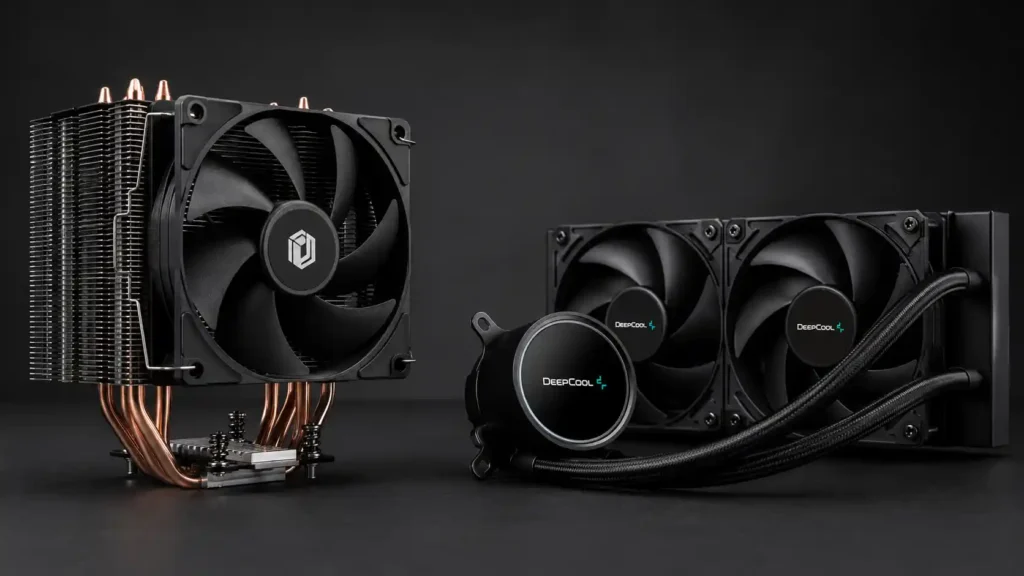
This guide cuts through all of that. We’ll look at how both cooling solutions actually work, where each one genuinely wins, where each one falls short, and — most importantly — which one offers better value for your specific situation and budget. Whether you’re building a budget rig under ₹40,000 or a high-end beast pushing past ₹1,00,000, this guide has a clear answer for you. And if you’re still on the fence between a gaming laptop and a gaming desktop — cooling is actually one of the biggest reasons desktops win. Here’s the full breakdown.
How Air Cooling Works
An air cooler is the traditional, time-tested approach to keeping your CPU cool. It consists of two main parts: a heatsink (a block of aluminium or copper fins) and one or more fans. The heatsink draws heat away from the CPU through a set of heat pipes, and the fans push that heat out into the case air, which then exits through the rear and top exhaust fans.
That’s it. No pumps, no tubes, no liquid. Just metal, airflow, and physics.
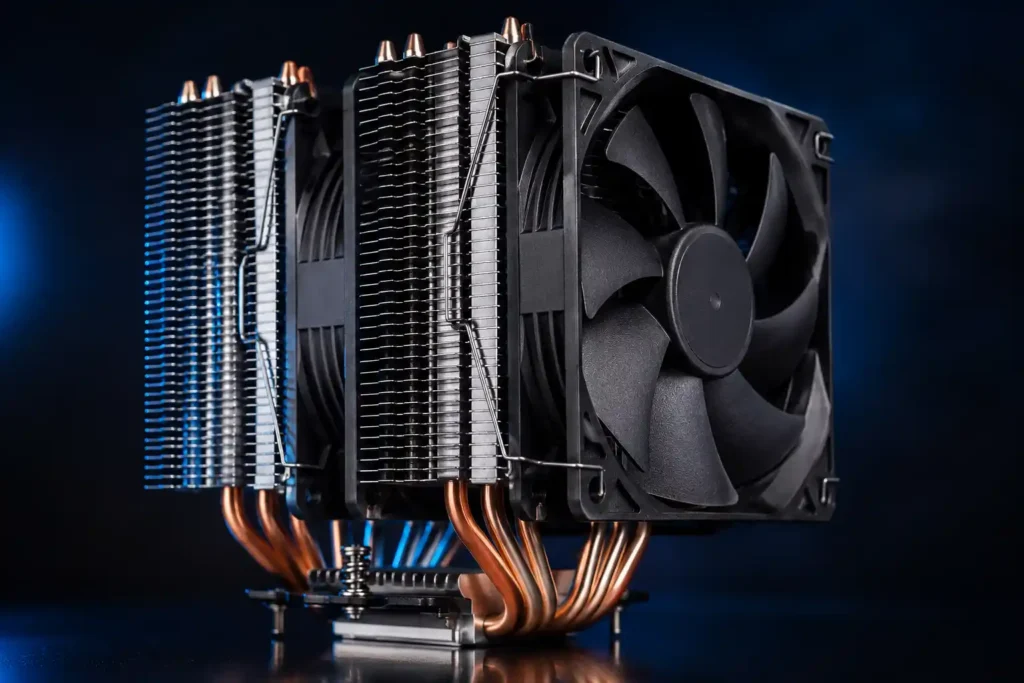
Air coolers range from the compact stock coolers that come bundled with CPUs to massive dual-tower behemoths like the Noctua NH-D15 or DeepCool AK620 — coolers so large they can comfortably cool even overclocked high-end CPUs.
How Liquid Cooling Works
Liquid cooling — specifically AIO (All-In-One) liquid coolers — works differently. A pump sits on top of the CPU and circulates coolant through a closed loop of tubes to a radiator mounted inside the case. Fans on the radiator dissipate the heat into the case air.
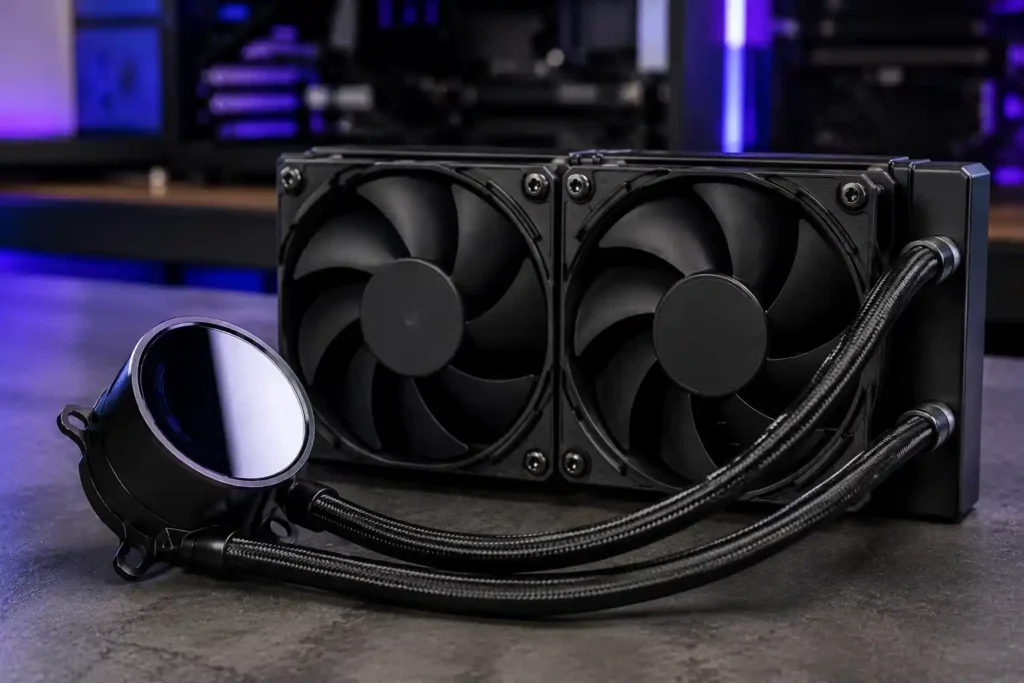
The liquid acts as a much more efficient heat transfer medium than air alone, which is why AIOs can move large amounts of heat quickly — especially useful for high TDP (Thermal Design Power) CPUs that generate significant heat under sustained gaming or workloads.
AIOs come in different radiator sizes: 120mm (single fan), 240mm (two fans), 280mm (two fans), and 360mm (three fans). Bigger radiator = more cooling surface = lower temperatures, generally speaking.
Custom liquid cooling loops — where you buy a pump, reservoir, radiator, tubing, and fittings separately — exist too, but those are a niche enthusiast choice, not a value-oriented decision for most gamers. This guide focuses on AIOs vs air coolers.
Air Cooling vs Liquid Cooling: Head-to-Head Comparison
1. Cooling Performance
This is where the conversation usually starts — and where a lot of myths live.
The truth: A good mid-range air cooler like the DeepCool AK400, Cooler Master Hyper 212 Spectrum, or Noctua NH-U12S performs almost identically to a 240mm AIO on most mainstream gaming CPUs. The temperature difference in real-world gaming benchmarks is typically 2–5°C according to independent testing — a margin that has zero impact on your gaming experience or CPU lifespan.
Where liquid cooling genuinely pulls ahead is with very high TDP CPUs — think Intel Core i9-14900K, AMD Ryzen 9 7950X, or the newer Arrow Lake and Zen 5 flagship chips. These CPUs can dump 150W–250W+ of heat, and a large 360mm AIO handles that heat more comfortably and more quietly than even the best air cooler.
Winner for mainstream gaming CPUs (Ryzen 5/7, Intel Core i5/i7): Air cooler — comparable performance at lower cost. Winner for flagship CPUs (i9, Ryzen 9, overclocked builds): 360mm AIO — genuinely better thermal headroom.
2. Price
This is where air cooling wins decisively for budget and mid-range builders.
A solid air cooler — one that will comfortably cool any mainstream gaming CPU — costs between ₹1,500 and ₹4,000 in India. The DeepCool AK400 is available around ₹2,500–₹3,000 on Flipkart and is one of the best performers in its price range.
A quality 240mm AIO starts at around ₹4,000–₹5,000 for budget options (Cooler Master MasterLiquid 240, DeepCool LE300 Marv ) and goes up to ₹12,000–₹18,000 for premium options (Corsair iCUE H100i, NZXT Kraken X53, Lian Li Galahad II). A 360mm AIO can cost ₹15,000–₹25,000.
For a ₹40,000–₹60,000 gaming build, spending ₹12,000–₹15,000 on a 240mm AIO when a ₹3,000 air cooler gives you nearly identical gaming temperatures is a hard case to make on value grounds alone.
Winner: Air cooler — by a significant margin at every mainstream price point.
3. Noise Levels
This one surprises people. Air coolers are not automatically louder than AIOs.
A quality air cooler with good fans (Noctua, be quiet!, DeepCool) runs whisper-quiet at low and medium fan speeds. At 100% fan speed, yes, they can get loud — but that only happens during extended stress testing, not typical gaming.
AIOs have a pump that runs constantly, which adds a low-level hum. Most modern pumps are quiet enough that you won’t notice over case fan noise, but it is a sound that’s always present. Under heavy load, the fans on a 240mm AIO run at higher RPMs to keep up with heat, which can actually be louder than a large dual-tower air cooler moving the same amount of heat more efficiently.
Winner: Tie — depends heavily on specific models, fan quality, and your case acoustics. High-end air coolers like Noctua or be quiet! Dark Rock are among the quietest cooling solutions available, period.
4. Ease of Installation
Air coolers are simpler. Remove the old cooler, apply thermal paste, seat the new heatsink, tighten the screws, plug in the fan header. Done in 10–15 minutes.
AIOs are more involved. You’re mounting a pump block on the CPU, routing tubes, mounting a radiator (and figuring out where — top, front, or side of the case), connecting multiple fan headers and a pump header, and then managing cable routing. It takes 30–45 minutes for a first-timer, and tube routing inside a compact mid-tower can be genuinely frustrating.
AIOs also have specific case compatibility requirements — a 360mm radiator, for example, won’t fit in many compact cases. Always check your case’s radiator support before buying.
Winner: Air cooler — simpler, faster, no case compatibility concerns.
5. Long-Term Reliability
This is an important point that often gets skipped in comparison guides.
A quality air cooler has no moving parts except the fan. Fans can last 10+ years. If a fan dies, you replace just the fan — usually under ₹500. The heatsink itself will literally last forever.
An AIO has a pump. Pumps can and do fail — typically after 4–7 years for mid-range units. When the pump fails, the entire unit needs to be replaced. There’s also the risk of coolant leaks, which — while rare in modern sealed AIOs — can damage your motherboard, GPU, and other components if it happens.
For a long-term build that you plan to keep for 5+ years without maintenance, a high-quality air cooler is the more reliable choice.
Winner: Air cooler — no pump failure risk, no leak risk, fan-only replacement if anything goes wrong.
6. Aesthetics
Here’s where liquid cooling wins cleanly — and it’s a legitimate reason for many builders.
A 240mm or 360mm AIO with an LCD display head, RGB fans, and clean tube routing looks stunning in a glass-panel case. If you’re building a showpiece PC — the kind you want to show off at a LAN party or post on Instagram — a quality AIO simply looks better than a large air cooler that blocks most of your motherboard.
Air coolers — especially the big dual-tower ones — tend to dominate the inside of the case visually and block views of the RAM. Some people love the industrial look; most people prefer the clean, open look of an AIO build.
If aesthetics matter to you (and there’s absolutely nothing wrong with that), this is a genuine point in favour of liquid cooling.
Winner: Liquid cooling (AIO) — by a wide margin for visual appeal.
7. RAM and Motherboard Clearance
Large air coolers can physically block RAM slots. The Noctua NH-D15 — one of the best air coolers ever made — requires low-profile RAM in certain configurations. Tall RGB RAM kits, which are very popular in India, can interfere with the fan on a single-tower air cooler.
AIOs have a much smaller CPU block, leaving your RAM slots fully accessible regardless of how tall your RAM heatspreaders are.
If you have or plan to buy tall RAM kits, check clearance specs before buying a large air cooler.
Winner: Liquid cooling (AIO) — no RAM clearance concerns.
Which Should You Choose? — Decision Guide by Budget and Use Case
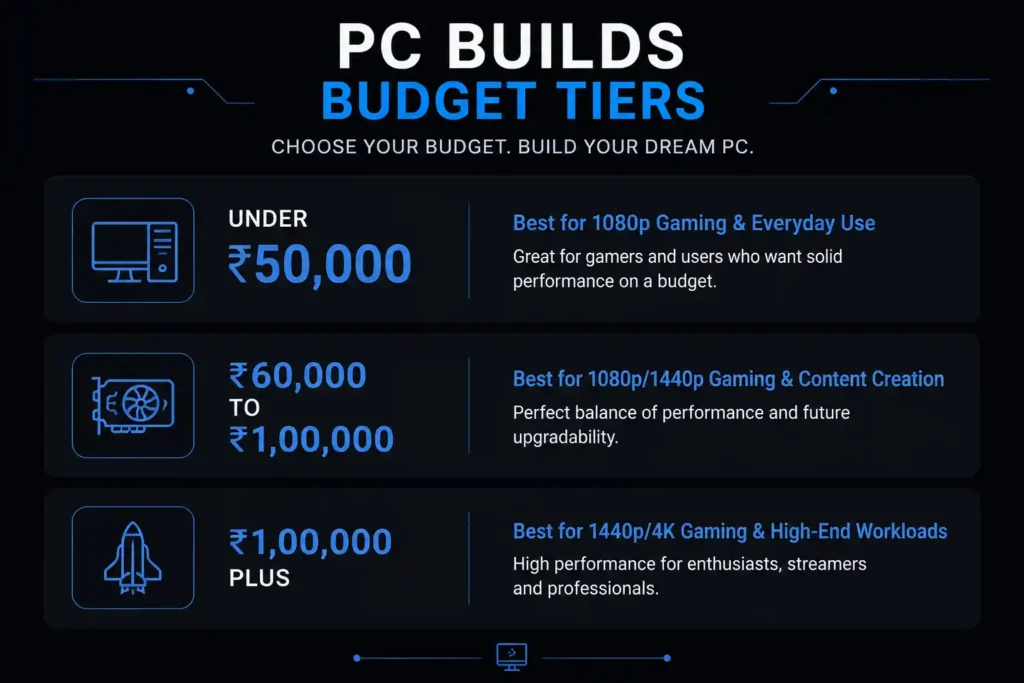
Budget Gaming Build (Under ₹50,000 total build cost)
Go with: Air Cooler
At this budget, every rupee matters. A DeepCool AK400 or Cooler Master Hyper 212 Spectrum (₹2,000–₹3,500) will keep a Ryzen 5 or Core i5 gaming CPU perfectly cool. Putting ₹8,000–₹12,000 into an AIO makes no sense here — that money is better spent on a better GPU, more RAM, or a faster SSD.
Mid-Range Gaming Build (₹60,000–₹1,00,000 total build cost)
Go with: Air Cooler or 240mm AIO — your choice
At this range, you can afford either option without hurting the rest of your build. If pure performance and reliability matter, get a Noctua NH-U12S Redux or DeepCool AK620. If you want a clean RGB aesthetic inside a glass-panel case and you’re running a Core i7 or Ryzen 7, a 240mm AIO from DeepCool or Cooler Master is a reasonable choice.
High-End / Enthusiast Build (₹1,00,000+ or flagship CPU)
Go with: 360mm AIO
If you’re running an Intel Core i9, AMD Ryzen 9, or any chip with a TDP above 125W — especially if you’re overclocking — a 360mm AIO is the right tool. At this level, the thermal headroom it provides is real and measurable. Budget accordingly and pick a quality unit from Corsair, NZXT, Lian Li, or DeepCool.
Compact / SFF (Small Form Factor) Build
Go with: Low-Profile Air Cooler
In ITX cases, a 240mm AIO often can’t fit or creates awkward tube routing. A low-profile air cooler like the Noctua NH-L9i or Thermalright AXP90-X47 is specifically designed for this scenario. It will do the job without the installation headache.
Build for a Hot Indian Climate
Go with: 240mm or 360mm AIO, or large air cooler with good case airflow
Indian summers — especially in cities like Delhi, Nagpur, Hyderabad, and Jaipur — can see ambient temperatures of 38–45°C. This affects PC thermals directly, since air coolers dump heat into case air, which is already warm. If your room doesn’t have consistent AC, invest in case airflow first (more intake fans, proper front-to-back or bottom-to-top airflow). A 240mm AIO handles ambient temperature spikes better than a budget air cooler in these conditions.
The Honest Verdict
For 90% of gamers in India building or upgrading in 2026, a quality air cooler in the ₹2,500–₹4,500 range is the smarter choice. It performs comparably to a 240mm AIO for mainstream gaming CPUs, costs significantly less, is more reliable long-term, and is simpler to install.
Liquid cooling is genuinely worth the premium in three specific situations: you’re running a high TDP flagship CPU, aesthetics are a real priority for your build, or you want the absolute lowest noise floor under sustained load.
Don’t buy a liquid cooler because it “looks more serious” or because someone on Reddit said it’s always better. Buy it because your specific build and specific CPU actually benefits from it.
Frequently Asked Questions
Q: Is liquid cooling worth it for gaming in India?
For mainstream gaming CPUs (Ryzen 5, Core i5/i7), liquid cooling offers no real performance advantage over a good air cooler. For high-end CPUs or if aesthetics matter, yes — a 240mm or 360mm AIO is worth considering.
Q: Can an AIO leak and damage my PC?
Modern sealed AIOs from reputable brands (Corsair, NZXT, Lian Li, DeepCool, Cooler Master) have very low leak rates. However, the risk is not zero. Budget AIOs from unknown brands carry higher risk. Stick to established brands with proper warranty support.
Q: How long does an AIO last?
Quality AIOs from top brands typically last 5–7 years. Some last longer. The pump is the failure point to watch. Air coolers, by comparison, can last 10–15+ years with fan replacement if needed.
Q: Does liquid cooling make your PC quieter?
Not necessarily. A high-quality air cooler (Noctua, be quiet!) can be quieter than many 240mm AIOs under load. The pump in an AIO adds a constant background noise that air coolers don’t have.
Q: Which air cooler is best for gaming in India under ₹3,000?
The DeepCool AK400 is the best performer in this price range and is consistently available on Amazon India. The Cooler Master Hyper 212 Spectrum is a solid alternative with RGB if that matters to you.
Q: What is AIO in cooling?
AIO stands for All-In-One liquid cooler — a pre-filled, sealed cooling loop that includes a pump block, tubes, radiator, and fans in a single ready-to-install unit. You don’t need to fill or maintain the coolant.
Final Thoughts
The air cooling vs liquid cooling debate doesn’t have a universal winner — it has the right answer for your specific build, budget, and priorities. Air coolers win on value, reliability, and simplicity. Liquid coolers win on aesthetics, high-TDP thermal management, and the satisfaction of a clean cable-free build interior.
Use this guide as your deciding framework, not online hype. Your CPU’s temperature sitting at 65°C under gaming load is perfectly fine whether you got there with a ₹2,800 air cooler or a ₹12,000 AIO. What matters is that your system runs stable, cool, and quiet — and both cooling solutions, chosen correctly, can deliver exactly that.
