Best Monitor Under 30k
If you’re upgrading from a 21-inch 60Hz monitor you’ve had since 2018, nothing will change your PC experience faster than a bigger, faster screen — not even a GPU upgrade. And right now, ₹30,000 is the sweet spot in the Indian monitor market. Go much lower and you’re stuck with 1080p and compromises. Cross ₹30,000 and you start entering genuinely premium territory. But right at this price, you can walk away with a 32–34 inch curved QHD or even 4K display with a fast refresh rate, HDR support, and a proper ergonomic stand.
The tricky part is that under 30k covers a strange mix of products in India — smart monitors built more like TVs, dedicated gaming monitors, and hybrid work-and-play displays — and they’re not interchangeable. A monitor tuned for competitive gaming isn’t necessarily the best choice for a video editor, and a 4K smart monitor with Netflix built in isn’t what a Valorant player needs.
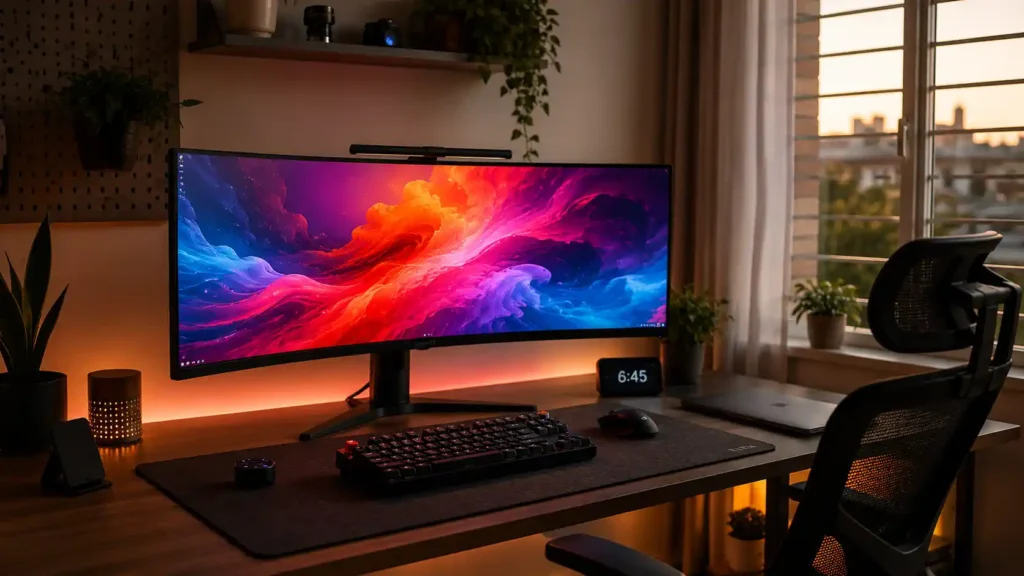
This guide breaks down six of the strongest options currently available in this budget, what each one is actually good at, where each one falls short, and which one fits your specific use case — whether that’s gaming, work-from-home, content consumption, or all three on one screen.
A quick note: monitor prices on Amazon India move around often — sales, stock levels, and bank offers all shift things week to week. The prices below are accurate as of the time of writing, but always check the current price before buying.
Quick Comparison: Best Monitors Under ₹30,000
| Monitor | Price | Size & Resolution | Panel | Refresh Rate | Best For | Buy Link |
| Zebronics PA234 | ₹22,222 | 34″ UWQHD (3440×1440) | VA, 1500R | 180Hz | Best value for money | Amazon |
| Lenovo Legion R32qc-30 | ₹19,299 | 31.5″ QHD (2560×1440) | VA, 1500R | 180Hz | Best budget pick | Amazon |
| Samsung Odyssey G5 | ₹27,999 | 34″ WQHD (3440×1440) | VA, 1000R | 165Hz | Best trusted-brand gaming pick | Amazon |
| LG 34G600A Ultragear | ₹29,999 | 34″ WQHD (3440×1440) | VA, 1800R | 160Hz | Best all-round ergonomics | Amazon |
| Samsung M7 Vision AI | ₹28,999 | 32″ 4K UHD (flat) | VA | 60Hz | Best for work + smart TV use | Amazon |
| LG 34SR65QC | ₹31,499* | 34″ WQHD (3440×1440) | VA, 1800R | 100Hz | Best smart ultrawide (slightly over budget) | Amazon |
*Slightly above the ₹30,000 mark — included because it’s a genuinely different kind of product from the rest of this list.
What to Actually Look For in a Monitor Under ₹30,000
Before jumping into the individual reviews, it helps to understand what you’re really choosing between at this price, because the spec sheets can be misleading if you don’t know what to weigh.
Panel type matters more than the marketing suggests
Every single monitor on this list uses a VA panel, and that’s not a coincidence — at this price and screen size, VA is simply the technology that makes sense. VA panels give you deep blacks and strong contrast (often 3000:1 or higher, compared to roughly 1000:1 on IPS), which makes dark scenes in games and movies look genuinely better. The trade-off is slightly narrower viewing angles and a tendency toward black smearing — a faint trail behind fast-moving dark objects — in very high-motion content. For single-player games, movies, and general work, you’ll rarely notice it. If you’re a competitive FPS player who’s extremely sensitive to motion clarity, that’s worth knowing going in.
Resolution and screen size need to match your desk, not just your budget
A 34-inch ultrawide sounds impressive, but if your desk is under 90cm deep, you’ll end up sitting too close and constantly turning your head. QHD (2560×1440) and WQHD (3440×1440) are both comfortable resolutions for 27–34 inch screens without needing Windows display scaling. 4K on a 32-inch screen looks stunning for text and detail work, but you’ll want a graphics card that can actually push 4K if you plan to game — otherwise you’re better off running games at a lower resolution on that same panel.
Refresh rate matters, but not equally for everyone
165Hz–180Hz is fantastic if you play shooters like Valorant or CS2, where every millisecond of motion clarity counts. But if your day is mostly Excel, browser tabs, YouTube, and the occasional single-player game, the jump from 60Hz to 165Hz is a nice-to-have, not a necessity. Don’t pay a premium for refresh rate you won’t use.
Curvature is about comfort, not just aesthetics
The numbers (1000R, 1500R, 1800R) refer to the radius of the curve — a lower number means a tighter, more aggressive curve. 1000R (like the Samsung Odyssey G5) wraps around your field of view more noticeably, which some people love for immersion and others find slightly disorienting on a work monitor. 1800R is gentler and works well for both productivity and gaming.
If you’re still unsure whether curved is even the right choice for you, we’ve broken down curved vs flat monitors in detail — worth a quick read before you commit to any of the picks below.
Check your ports against your actual GPU before buying
If you haven’t picked a graphics card yet, it’s worth sorting that out alongside your monitor — check our best GPU under ₹30,000 picks since it sits in the same budget tier as most of these monitors.
Smart features are a genuine trade-off, not a free bonus
Three monitors here (the Samsung M7 and both LG smart monitors) come with webOS or Tizen built in, letting you stream Netflix or YouTube without a PC connected. That’s genuinely useful if the monitor doubles as a bedroom or living room screen. But it also means paying for hardware (a media processor, remote, smart TV software) that a dedicated gaming monitor skips entirely in favor of a faster panel at the same price.
No Cost EMI is worth checking at checkout
Most banks offer No Cost EMI on electronics in this price range on Amazon and Flipkart. It doesn’t change the total cost, but if cash flow is a factor, splitting a ₹25,000 purchase into 3–6 months can make the decision easier.
The 6 Best Monitors Under 30k in India
1. Zebronics PA234 — Best Value for Money
Price: ₹22,222
Zebronics isn’t the first brand most people think of for a gaming monitor, but the PA234 makes a strong case for itself purely on specs. For roughly ₹22,000, you’re getting a 34-inch curved ultra wide with a 180Hz refresh rate, 1ms MPRT response time, and 100% sRGB coverage — numbers that competitors are charging ₹5,000–8,000 more for.
Key specs:
- 34″ UWQHD (3440×1440), VA panel, 1500R curve
- 180Hz refresh rate, 1ms MPRT
- 100% sRGB, 1.07 billion colours, HDR10
- Height, pivot, swivel, and tilt adjustable stand
- 2x DisplayPort, 2x HDMI, PIP/PBP support
Who it’s for: Someone who wants the best possible specs per rupee and is comfortable buying from a brand that’s newer to the gaming monitor space specifically (Zebronics is well established in India for peripherals and speakers, but its gaming monitor lineup is still building a track record — it currently sits around a 3.9/5 rating on Amazon India from a modest number of reviews).
Pros:
- Best-in-class refresh rate and response time for the price
- Fully adjustable stand, which many pricier monitors skip
- 100% sRGB is genuinely excellent color coverage at this budget
Cons:
- Smaller brand footprint means less established after-sales support network compared to LG or Samsung
- Fewer independent long-term reviews to lean on
Verdict: If you’re building a budget-to-mid PC and want to spend as little as possible on the monitor without sacrificing performance, this is the one to beat.
Buy on Amazon2. Lenovo Legion R32qc-30 — Best Budget Pick
Price: ₹19,299
If you want to spend the least amount possible while still getting a proper gaming monitor from an established brand, this is it. Lenovo’s Legion gaming line has a solid reputation, and this monitor undercuts almost everything else on this list by ₹3,000–10,000.
One detail worth knowing: Lenovo markets this as a 32-inch monitor, but the actual viewable panel is 31.5 inches — a common rounding practice across the industry, not a red flag, but worth knowing so you’re not surprised.
Key specs:
- 31.5″ (marketed as 32″) QHD (2560×1440), VA panel, 1500R curve
- Up to 180Hz via DisplayPort, 144Hz via HDMI, 0.5ms MPRT
- 99% sRGB, 90% DCI-P3, AMD FreeSync Premium
- Tilt, swivel, pivot, and height adjustable stand
- 2x HDMI 2.1, 1x DisplayPort 1.4
Who it’s for: Budget-conscious gamers and console owners. and if you’re building your first proper gaming PC around this budget, this monitor pairs naturally with a ₹100,000 build without throwing off the balance. That dual HDMI 2.1 setup means this pairs nicely with a PS5 or Xbox Series X — though note that consoles connect via HDMI, so you’ll get 144Hz rather than the full 180Hz, which is still excellent.
Pros:
- Lowest price on this list from a genuinely trusted gaming brand
- Full ergonomic stand adjustment even at this price point
- Amazon reviewers consistently praise build quality and value
Cons:
- The built-in speakers are weak — plan on external speakers or a headset
- No USB hub, so peripherals connect directly to your PC
Verdict: The best get a great monitor without overspending choice on this list, especially if you’re a console gamer or building your first proper gaming setup.
Buy on Amazon3. Samsung Odyssey G5 (LC34G55TWW) — Best Trusted-Brand Gaming Pick
Price: ₹27,999
The Odyssey G5 is Samsung’s answer to a proper mid-range gaming ultra wide, and it brings something the Zebronics and Lenovo options can’t: Samsung’s brand trust and service network, which matters a lot in India when you’re thinking about warranty claims or replacement parts down the line.
Key specs:
- 34″ WQHD (3440×1440), VA panel, 1000R curve (the tightest curve on this list)
- 165Hz refresh rate, 1ms response time
- HDR10, AMD FreeSync Premium
- DisplayPort + HDMI, wall mountable
Who it’s for: Gamers who want the Samsung Odyssey badge and a more aggressive, immersive curve, and who are okay with a simpler stand.
Pros:
- Excellent 165Hz + 1ms combination for fast-paced games
- The 1000R curve is genuinely more immersive for single-player and racing games
- Strong brand backing and easy-to-find service centers across India
Cons:
- The stand only tilts — no height or swivel adjustment out of the box, so desk height matters more here than with the LG or Zebronics options
- Color gamut coverage isn’t explicitly rated as high as the Zebronics or LG Ultra gear, so it leans more toward gaming than color-critical work
Verdict: If brand trust and after-sales support matter to you as much as specs, this is the safer, more established choice over the Zebronics or Lenovo.
Buy on Amazon4. LG 34G600A Ultragear — Best All-Round Ergonomics
Price: ₹29,999
LG’s Ultragear line has built a strong reputation among Indian gamers, and the 34G600A packs in the one thing a lot of budget ultrawides skip: a properly adjustable stand with tilt, height, and swivel — genuinely useful if you’re spending 8+ hours a day at this desk.
Key specs:
- 34″ WQHD (3440×1440), VA panel, 1800R curve
- 160Hz refresh rate, 1ms MBR (motion blur reduction)
- 99% sRGB, HDR10, AMD FreeSync Premium
- Tilt, height, and swivel adjustable stand, 100x100mm VESA
- DisplayPort 1.4 + dual HDMI, built-in 2x5W Max Audio speakers
Who it’s for: Anyone who wants a genuine hybrid of work and gaming — the full stand adjustment makes this comfortable for long WFH sessions, while the 160Hz refresh rate and gaming-specific features (Black Stabilizer, Crosshair overlay, Dynamic Action Sync) keep it competitive for evening gaming sessions.
Pros:
- Best ergonomic stand on this list at this price
- Balanced spec sheet that doesn’t lean too hard into either gaming or productivity
- LG’s Ultragear brand carries strong resale value and community trust
Cons:
- The panel has a glossy finish rather than matte anti-glare, so reflections can be noticeable in bright rooms or near windows
- No USB-C or USB hub, which some competitors at this price now include
Verdict: The most well-rounded pick if you genuinely split your time between work and gaming on the same screen and don’t want to compromise on either.
Buy on Amazon5. Samsung M7 Vision AI (LS32FM701U) — Best for Work + Smart TV Use
Price: ₹28,999
This one deserves a clear disclaimer upfront: it’s not a gaming monitor, and it shouldn’t be marketed to you as one. It runs at 60Hz with no adaptive sync, which will feel noticeably less smooth than every other monitor on this list if you’re gaming. What it does instead is genuinely excellent for a completely different kind of buyer.
Key specs:
- 32″ 4K UHD (3840×2160), VA panel, flat (not curved)
- 60Hz refresh rate, 4ms response time
- Built-in webOS-style smart platform with Netflix, YouTube, Prime Video, and other streaming apps
- Samsung DeX for PC-less productivity from your phone, Wi-Fi, Bluetooth, AirPlay 2, USB-C, remote control
Who it’s for: Someone who wants a genuinely excellent 4K screen for spreadsheets, documents, and detailed work by day, and a smart TV for streaming by night — without a dedicated streaming box or a second screen in the room. It’s also a strong pick if you occasionally need to work from your phone via Samsung DeX without opening a laptop at all.
Pros:
- Sharp, detailed 4K resolution ideal for text-heavy work and spreadsheets
- The smart TV apps genuinely replace a Fire TV Stick or Chromecast for casual streaming
- USB-C single-cable connection for laptops that support it
Cons:
- 60Hz with no adaptive sync makes this a poor fit if gaming is a priority — even casual gaming will feel less smooth than the other five options here
- Some Amazon reviewers have flagged inconsistent color calibration out of the box; it’s usable but not something you’d want for color-critical photo or video editing
- The included stand offers limited adjustability, though it does support a standard 100x100mm VESA mount if you want to use your own monitor arm
Verdict: Best choice on this list if your priority is work and entertainment, not gaming. If gaming matters at all, look at the Odyssey G5 or LG Ultra gear instead.
Buy on Amazon6. LG 34SR65QC — Best Smart Ultrawide (Just Over Budget)
Price: ₹31,499
Worth being upfront: at ₹31,499, this one sits just above the ₹30,000 mark. It’s included here because it’s genuinely a different product from the rest of the list — an ultra wide smart monitor rather than a dedicated gaming display — and if you’re comparing it against the Samsung M7 above, it’s worth knowing this option exists even if it means stretching the budget slightly.
Key specs:
- 34″ WQHD (3440×1440), VA panel, 1800R curve
- 100Hz refresh rate, 5ms response time
- webOS smart platform, AirPlay 2, Wi-Fi, Bluetooth, built-in speaker
- 99% sRGB, HDR10, height and tilt adjustable stand
Who it’s for: Someone who wants the ultra wide, immersive screen real estate of the gaming-focused monitors on this list, but with the smart TV convenience of the Samsung M7 — essentially the middle ground between the two categories.
Pros:
- Combines ultra wide screen space with genuine smart TV functionality
- webOS is a mature, responsive smart platform with a large app library
- AirPlay 2 makes this an easy pick if you’re an iPhone or Mac household
Cons:
- Priced above the ₹30,000 mark this guide is built around
- 100Hz refresh rate is noticeably behind the 160–180Hz gaming monitors above, so if gaming performance is your main goal, this isn’t the pick
- Like the Samsung M7, this leans toward entertainment and productivity rather than competitive gaming
Verdict: Only consider this over the Samsung M7 if the ultra wide format specifically matters to you and you’re comfortable spending slightly more than ₹30,000.
Buy on AmazonWhich One Should You Actually Buy?
Cutting through all the specs, here’s how I’d narrow it down based on what you actually do with your PC:
If you’re a competitive gamer on a tight budget — go with the Lenovo Legion R32qc-30. It’s the cheapest way onto a 180Hz curved panel from a brand you can trust. Pair it with a fast, budget gaming mouse and you’re set without spending much more.
If you want the absolute best specs for your money and don’t mind a less established gaming-monitor brand — the Zebronics PA234 is hard to beat. 180Hz, 1500R, 100% sRGB, and a fully adjustable stand for ₹22,222 is genuinely excellent value.
If you want a big-name brand backing your purchase and prioritize immersion — the Samsung Odyssey G5’s 1000R curve and 165Hz refresh rate make it the safer, more premium-feeling choice.
If you split your time evenly between work and gaming and want the best ergonomics — the LG 34G600A Ultragear’s fully adjustable stand makes it the most comfortable option for long sessions of either.
If gaming isn’t really the point and you want a 4K work-and-streaming screen — the Samsung M7 is the clear pick, and it’s the only true 4K option on this list.
If you want ultrawide immersion plus smart TV features and don’t mind spending slightly over 30k — the LG 34SR65QC is the one to stretch for.
Frequently Asked Questions
Is a VA panel good enough for gaming, or should I hold out for IPS?
For the vast majority of gamers, yes — VA panels at this price offer better contrast and deeper blacks than IPS panels in the same budget range. The only reason to prioritize IPS is if you’re extremely sensitive to motion smearing in dark, fast-paced scenes, which is a fairly niche concern for most players.
Does 165Hz vs 180Hz actually make a noticeable difference?
Honestly, not much. The bigger jump is from 60Hz to anything above 100Hz. Once you’re past 144Hz, the difference between 144, 165, and 180Hz becomes harder to perceive unless you’re playing at a competitive level in fast shooters.
Will these monitors work well with a budget graphics card like a GTX 1650 or RTX 3050?
Yes, but with a caveat — a budget GPU won’t be able to push high frame rates at QHD or 4K resolution in demanding games, so you won’t fully use the monitor’s high refresh rate in newer titles. These monitors will still look great for everyday use, older games, and esports titles, which tend to be far less demanding.
Should I switch to an ultra wide, or stick with a standard 16:9 screen?
Ultrawides genuinely change how you use a PC — more room for multitasking, and a wider field of view in supported games. The trade-off is that not every game and app supports the 21:9 aspect ratio properly, and older content shows black bars on the sides. If you mainly game and browse, most modern titles handle it fine.
Can I run a PS5 or Xbox Series X at 120Hz on these monitors?
The Lenovo Legion R32qc-30 supports up to 144Hz over HDMI, which comfortably covers 120Hz console gaming. Check the specific HDMI version on whichever monitor you choose if console gaming at 120Hz is a priority, since not all budget monitors’ HDMI ports support the full bandwidth needed.
Which of these is best for video calls and WFH?
The Samsung M7 and the LG Ultragear 34G600A are the strongest picks — the M7 for its sharp 4K text clarity and smart features, and the Ultragear for its fully adjustable stand, which matters a lot over long work sessions.
Is No Cost EMI available on these monitors?
Amazon regularly offers No Cost EMI on select bank cards for purchases in this price range. Availability depends on your card and changes with ongoing offers, so it’s worth checking at checkout rather than assuming.
Is 32–34 inches too big for a small desk?
It depends on desk depth more than desk width. If you’re sitting less than 70–80cm from the screen, a 34-inch ultrawide can feel overwhelming. For most standard work desks (90cm+ depth), it’s a comfortable size.
Final Thoughts
Under ₹30,000, you genuinely don’t have to compromise between a good screen and a good price anymore — you just have to be clear about what you’re buying it for. Gamers should lean toward the Lenovo, Zebronics, Samsung Odyssey G5, or LG Ultragear, all of which prioritize refresh rate and response time. If gaming isn’t the point, the Samsung M7 and LG 34SR65QC trade refresh rate for genuinely useful smart features and, in the M7’s case, true 4K sharpness.
Whichever one fits your setup, don’t skip checking current stock and pricing before you buy — budget monitor prices in India shift often, and the Check Current Price button above will always show you the live number.


